Remolo Helper
A small helper in the menu bar. It takes commands from your iPhone and carries them out on the Mac: moves the cursor, presses keys, controls playback. Buttons, chain recording, access from anywhere and guest links live here too. Any Mac works — MacBook, iMac, Mac mini, Mac Studio or Mac Pro, even one without its own trackpad.
macOS 15 or later · Apple silicon and Intel · version 1.0.0 · 3 MB
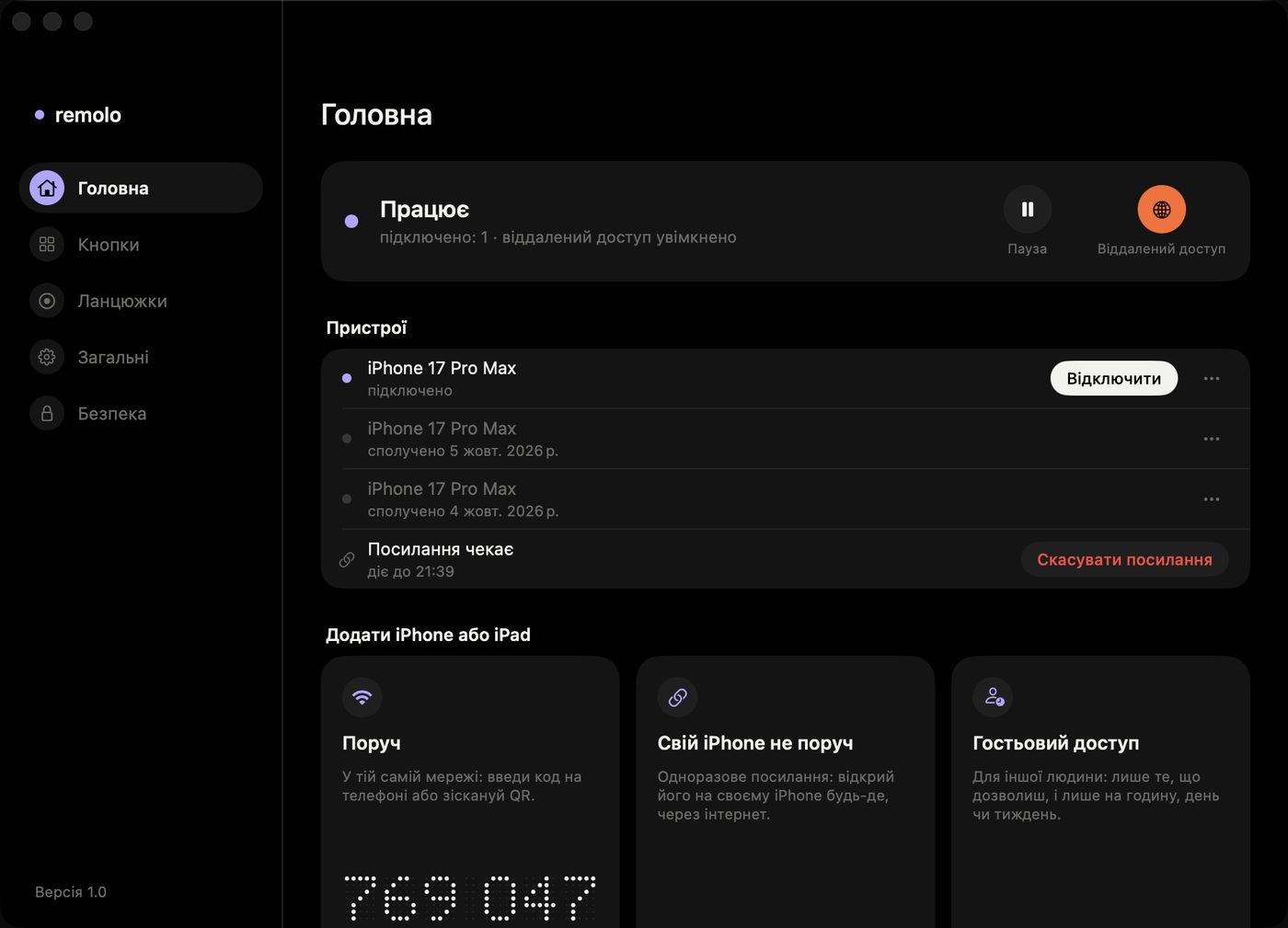
What the Helper does
At home it talks to your phone directly. With access from anywhere on, it keeps a connection to the Remolo relay, which only passes encrypted data. It sends crash reports only if you allow it. It listens only to phones you give access — with a code or a one-time link.
Runs commands. Cursor, keys, gestures, slides and playback — from the phone, at home or over the internet.
Button editor. The same buttons as on your phone — set them up with a mouse. Chain recording is in Pro.
Access from anywhere. The 🌐 switch in the menu turns on control from any network, and “iPhone not nearby” and “Guest access” make one-time links. Remote control and guests are in Pro.
Pause and devices. One button turns off control and the Mac’s screen, and the phone shows it. Forget any phone.
Installing
- 1
Open the file. Drag Remolo Helper into Applications.
- 2
Launch it. An icon appears in the menu bar.
- 3
Allow Accessibility. The cursor will not move without it.
- 4
Launch at login. Turn on “Open at login” in Helper settings and forget about it.