Your Mac is home. Control it from anywhere.
Trackpad, buttons, files and the Mac’s screen on your phone, over any network and end-to-end encrypted. And at home, a clicker and remote from the sofa too.
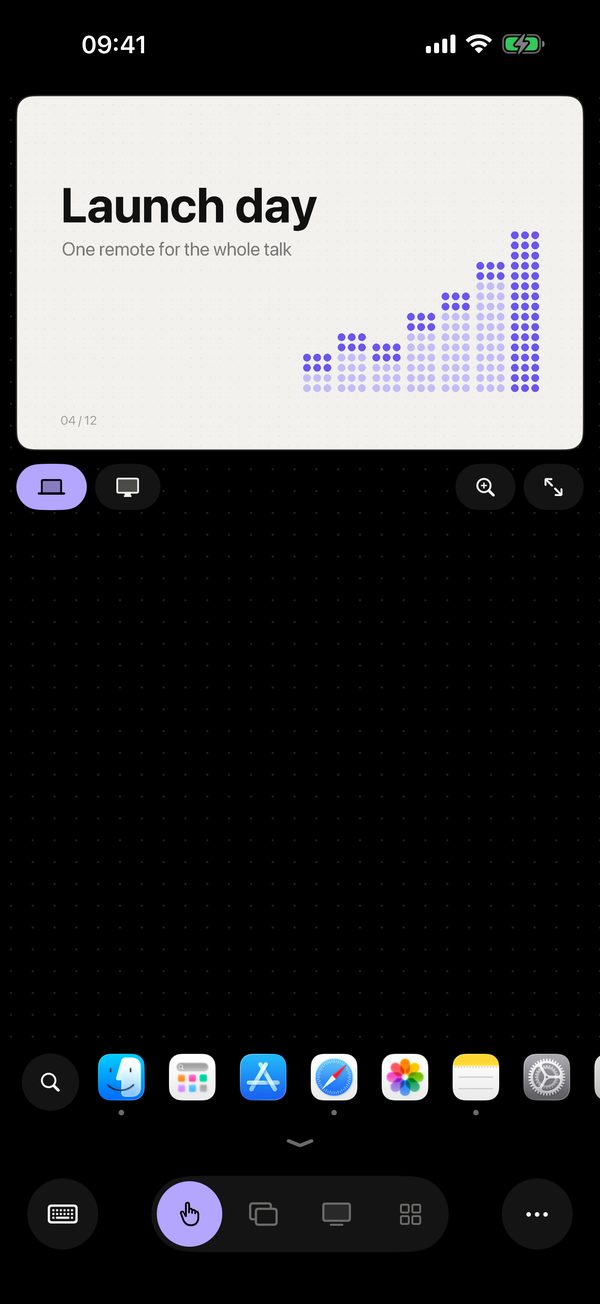
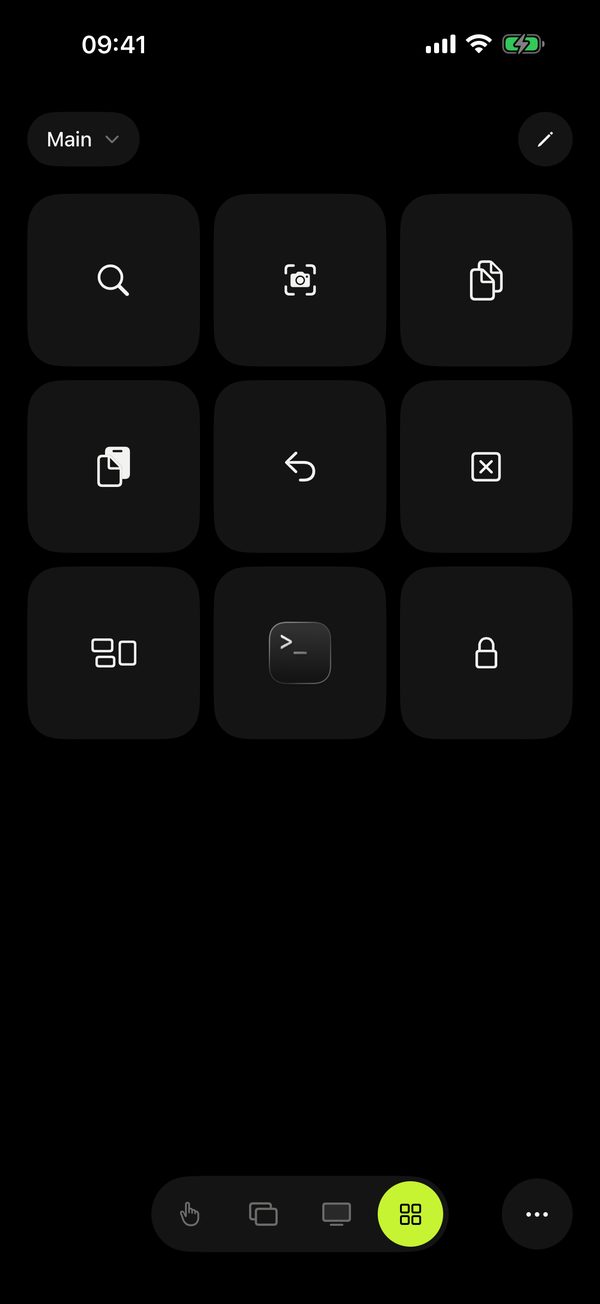
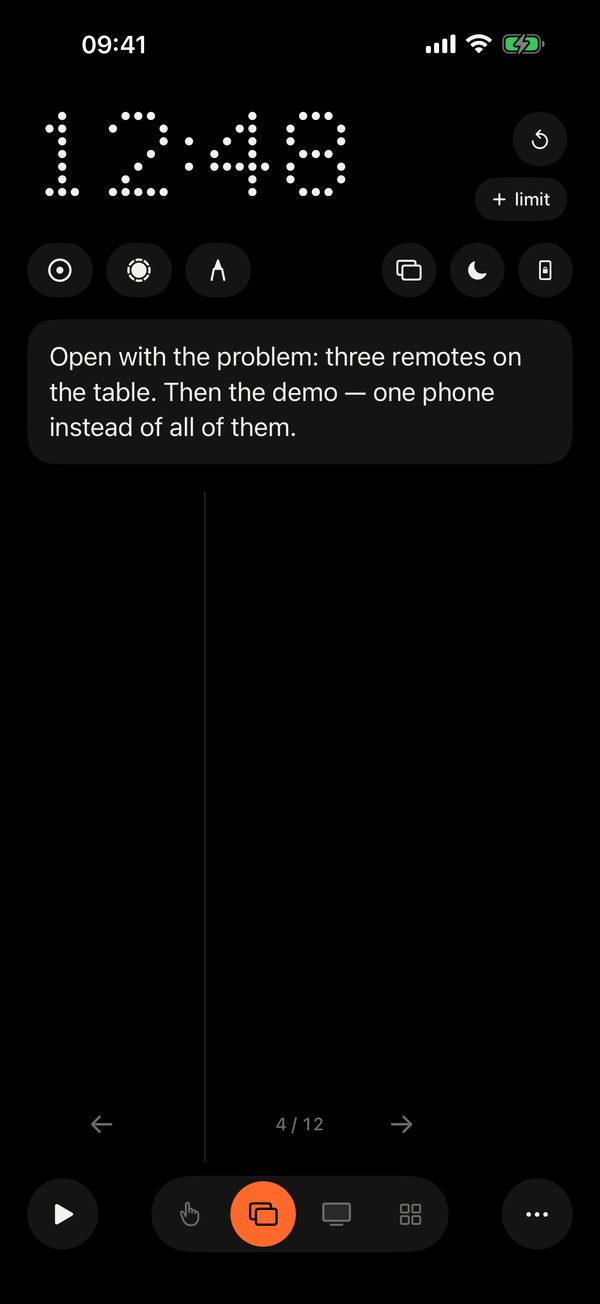
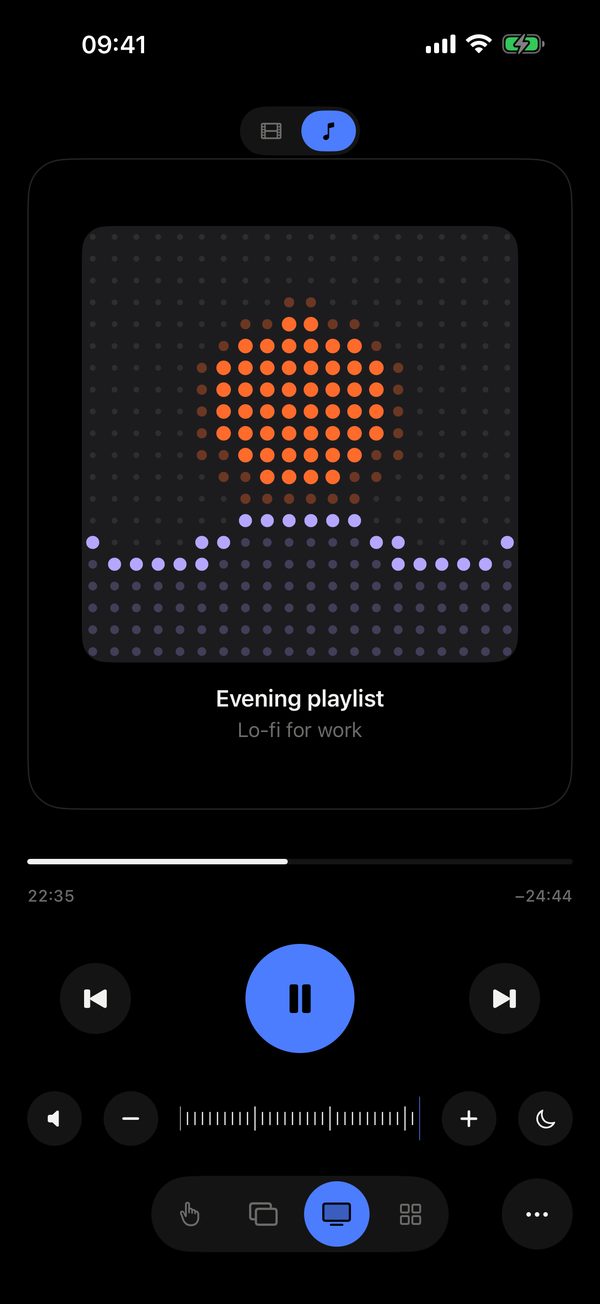
Trackpad. From a train, just like from the sofa.

From anywhere, as if from the sofa
Trackpad, buttons, slides, files and the Mac’s screen work over the internet just as they do at home. From a train, a hotel, an office.
Remolo Pro pricingRemolo Pro · the yearly plan starts with 7 free days
Three steps, and your Mac is always with you
- 1
Turn on 🌐 in the Remolo Helper menu. And in its settings, “Mac always ready to connect” keeps it from sleeping on its own.
- 2
Pair the phone once. At home, with the code from the Mac’s screen. Mac far away — with a one-time link from its menu.
- 3
Control it from any network. LTE, a hotel, an office — the route picks itself.
- The file stayed at home
Find it in the Mac’s folders right from your phone, and it is on your iPhone before you reach the meeting.
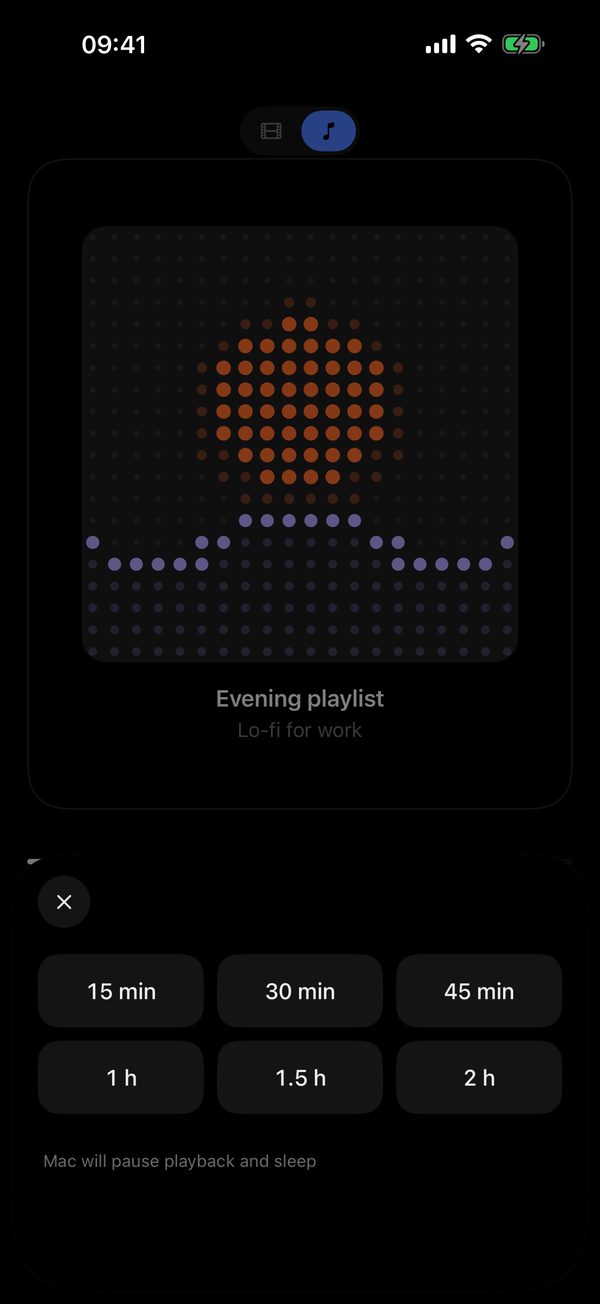
- Music playing at home
And you are already at the office. Pause it with one tap.
- Laptop in the hall, you on stage
Slides keep turning even if the hall’s Wi‑Fi is locked down.
- Copy here, paste there
What the Mac has copied waits in the “•••” menu: one tap and it is on your phone’s clipboard. And back again, even with half a country between you.
End-to-end encryption. The relay only sees ciphertext. Only those you allow can connect.
Any network. Directly at home, over the internet on the go. No router setup.
The Mac doesn’t sleep on its own. The “Mac always ready” mode, and the screen stays on while you control it from afar.
Even on a weak connection. The picture adapts to the connection, and a magnifier shows what is around the cursor.
Over the internet the Mac’s screen refreshes a few times a second — for controlling and checking, not for working in Photoshop.
Lend your Mac for an hour
A colleague needs to run your slides or help with your Mac? Remolo Helper makes a temporary link: you choose how long and what is allowed.
- 1
Pick how long. An hour, a day or a week.
- 2
Tick what is allowed. Trackpad and keyboard, slides, media, the Mac’s screen.
- 3
Send the link. The guest opens it on their iPhone and sees only what you ticked.
A one-time link. It works once. The secret is 256 bits, and the first wrong attempt burns it.
The link does not wait. An unused link lasts a day at most, and never longer than the access itself. The guest’s access ends at the time you chose.
A room of its own. The guest meets the Mac in a temporary relay room, never the Mac’s own. The link carries the Mac’s public key, so the phone talks only to that Mac.
The Mac sets the rules. The Mac checks every command from the guest itself. Files, the clipboard, the terminal and button actions are never available, and one click in the menu takes access back.
Guest access is given by a Mac owner with Remolo Pro. The guest needs no subscription.

Move the cursor from the sofa
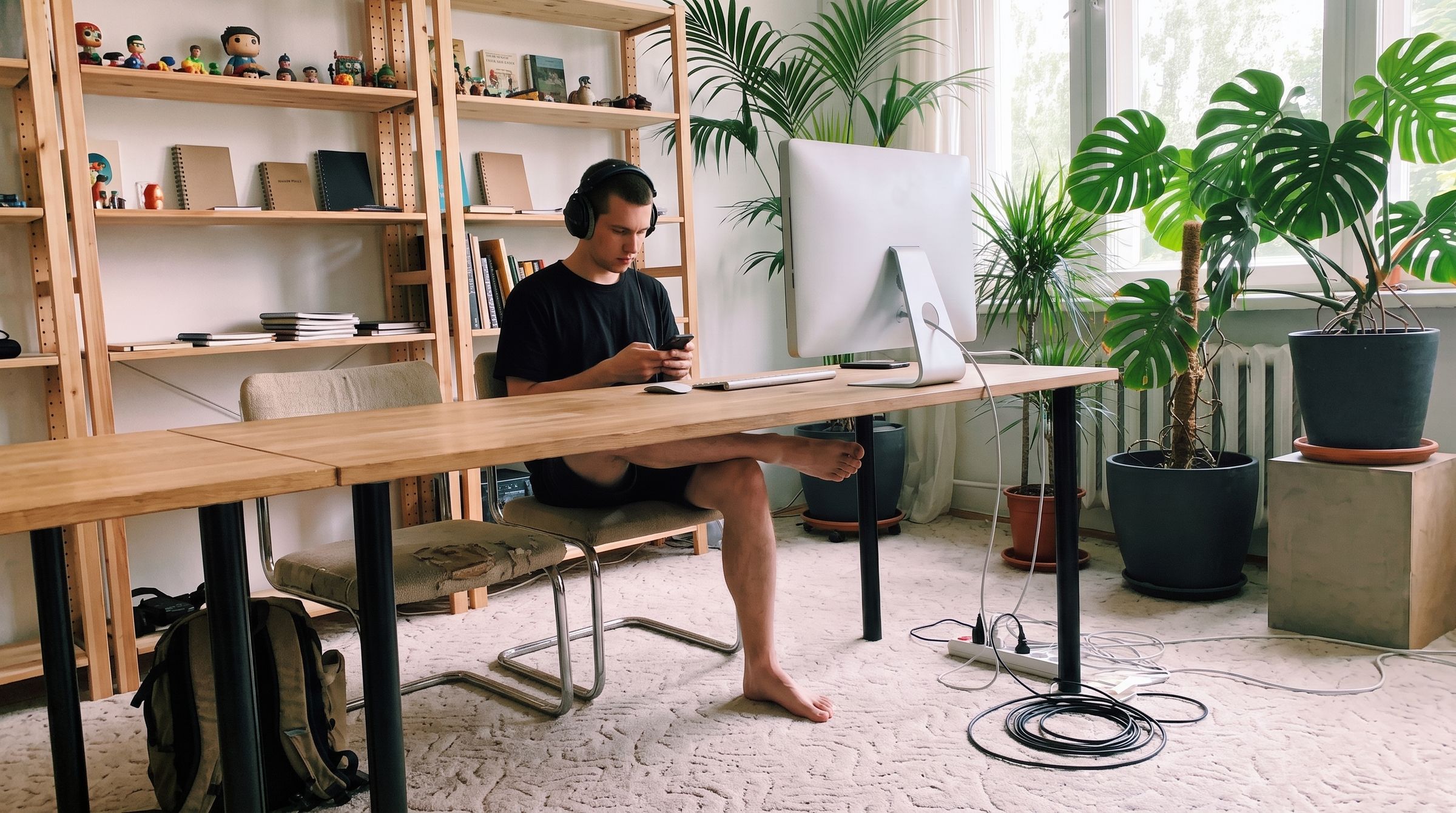
A laptop by the TV or a Mac mini with no trackpad, and you on the sofa. Your phone becomes a trackpad, with gestures like on a MacBook.
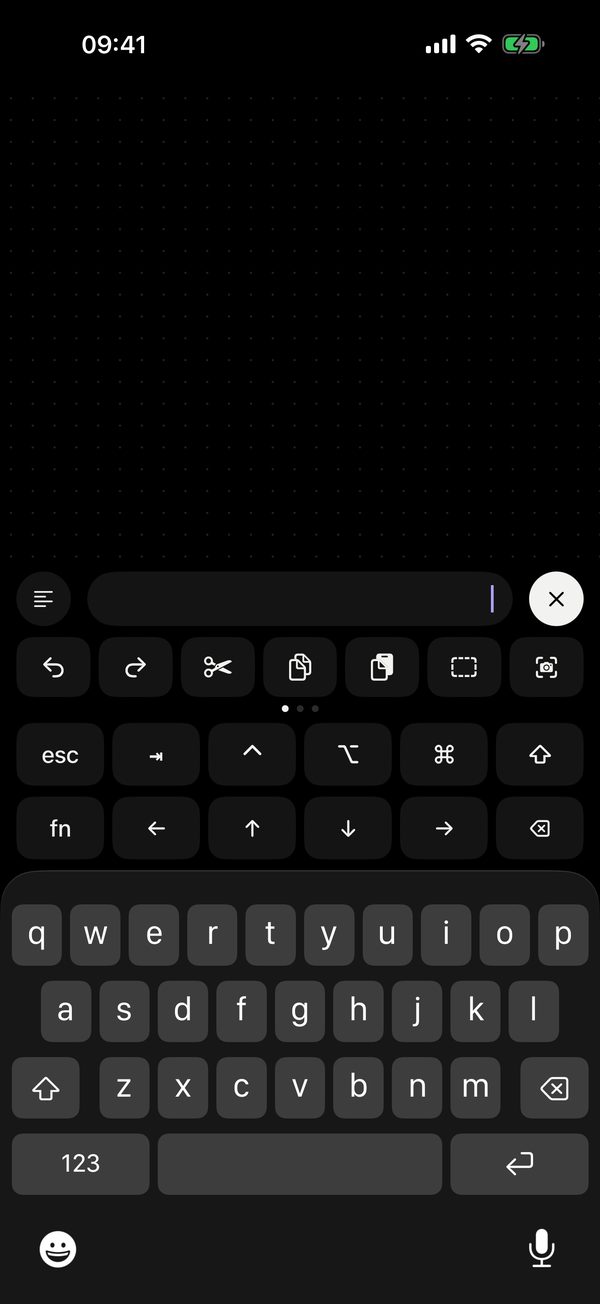
- A film on the TV. The laptop is far away, the cursor is under your thumb.
- Working from the couch. Scroll, zoom and type without a mouse.
- Lid closed. An external display, and the trackpad is your phone.

Change slides without a clicker
Clicker, timer, laser and marker in one phone. And only you see the notes.
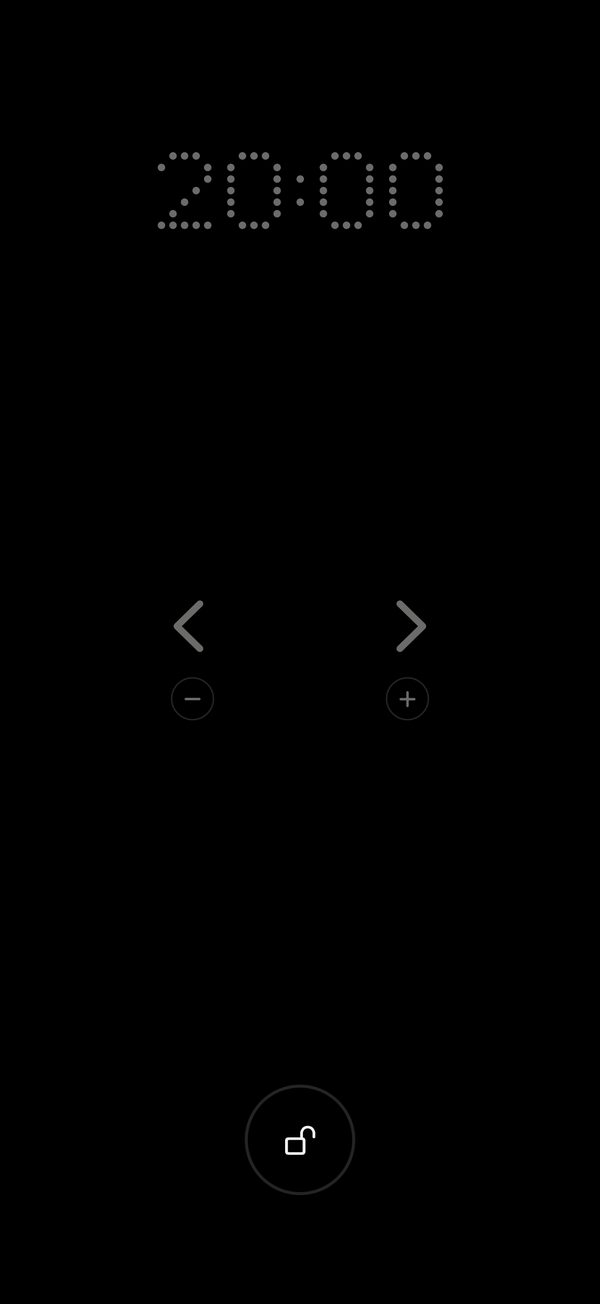
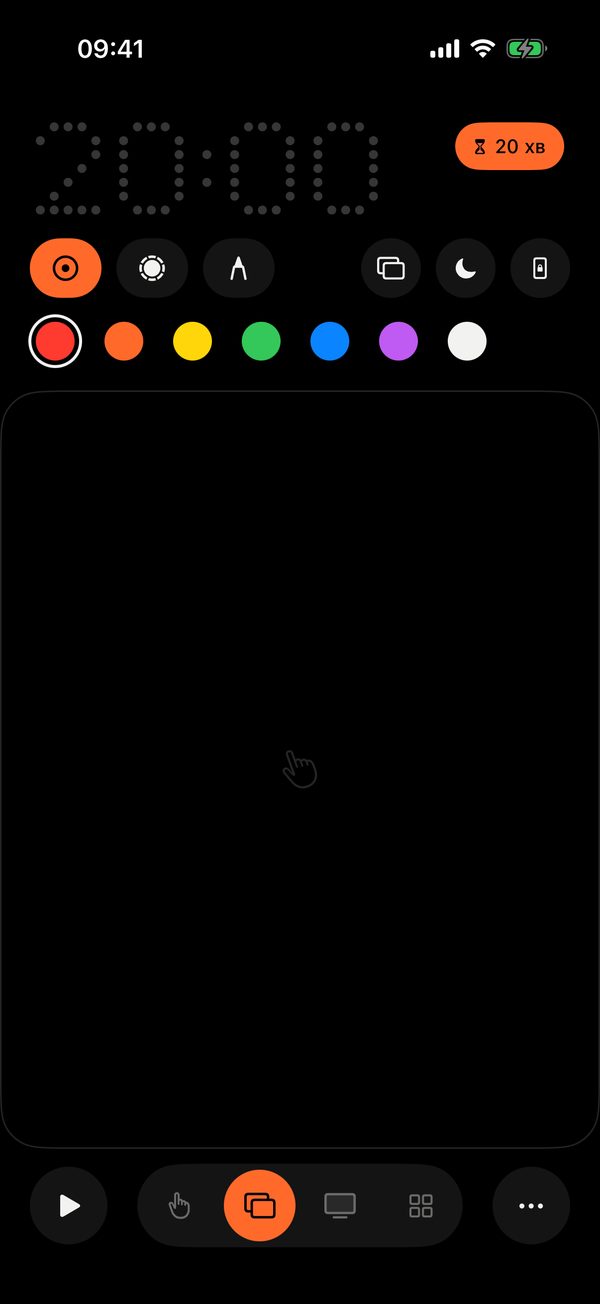
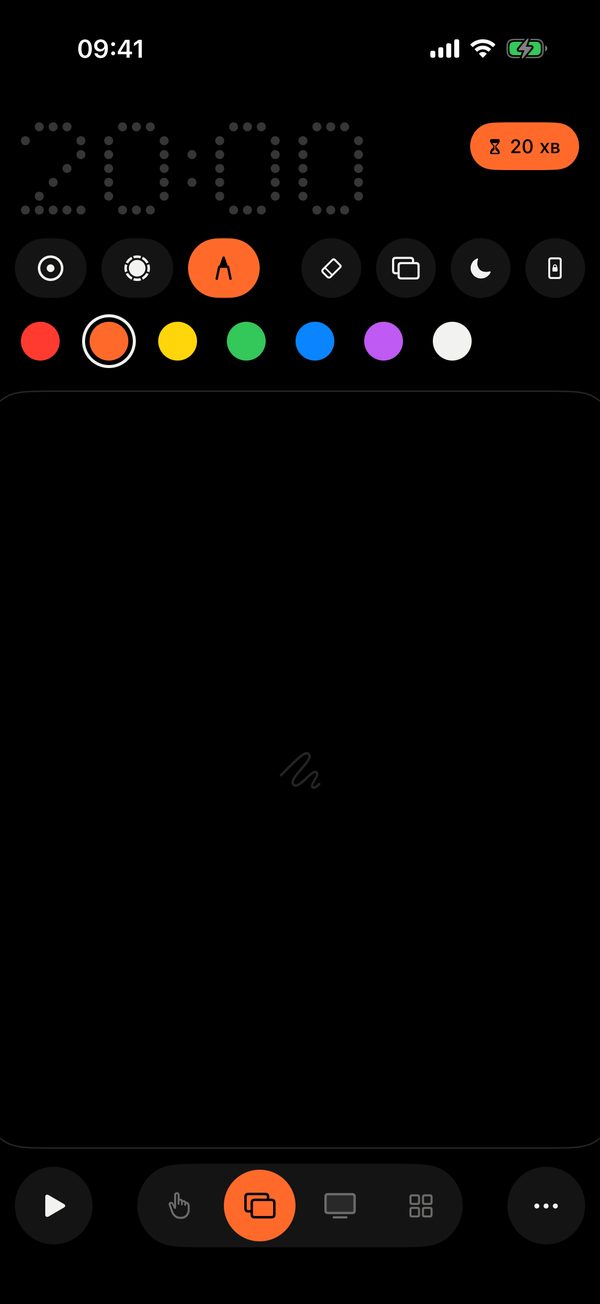
- A conference. Keynote, PowerPoint or Google Slides — no cables, no clicker.
- A class or workshop. Phone in your pocket, the volume buttons do the work.
- A client demo. The laser and marker show where to look.
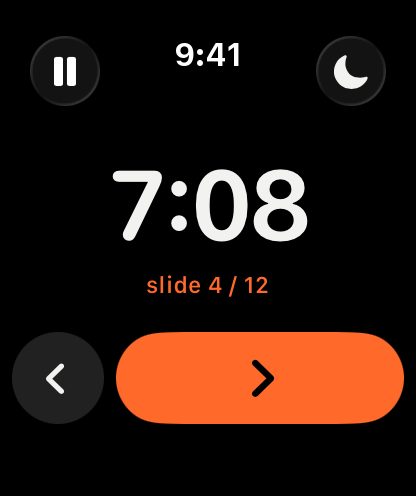
A clicker on your wrist PRO
Phone in your pocket, slides on your watch. The big timer is easy to catch at a glance, the Crown flips slides, and two minutes before the end the watch gently taps your wrist.
One button, a whole routine
What you do twenty times a day, on a single button. An app, a shortcut, text or a chain of several actions.
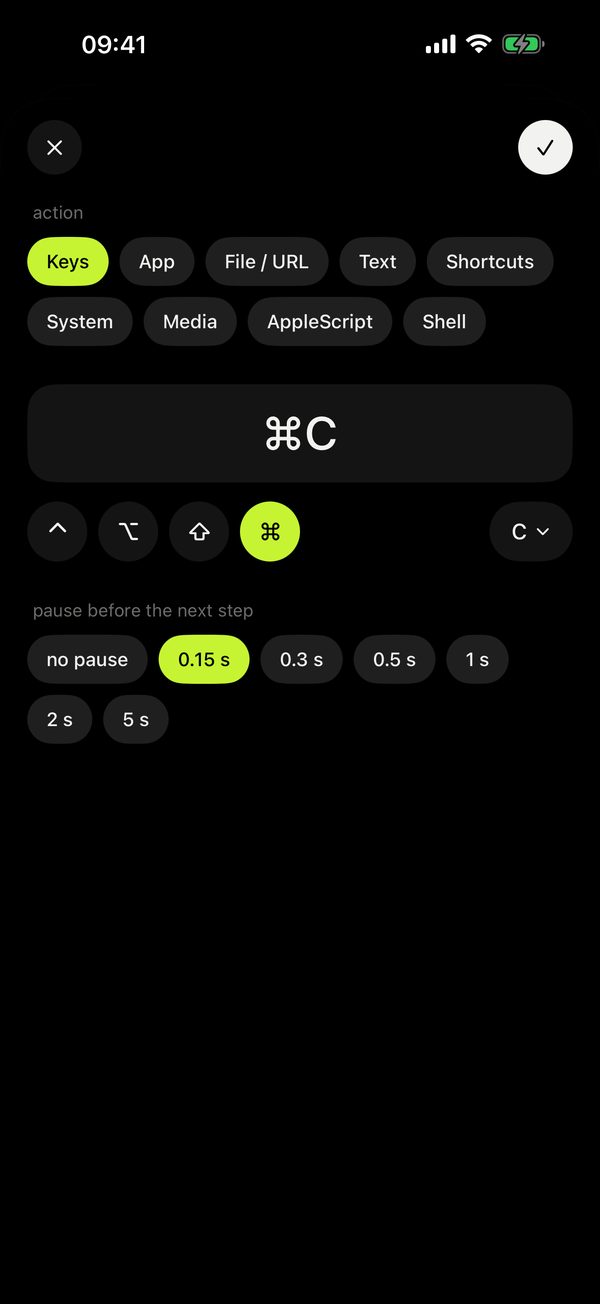
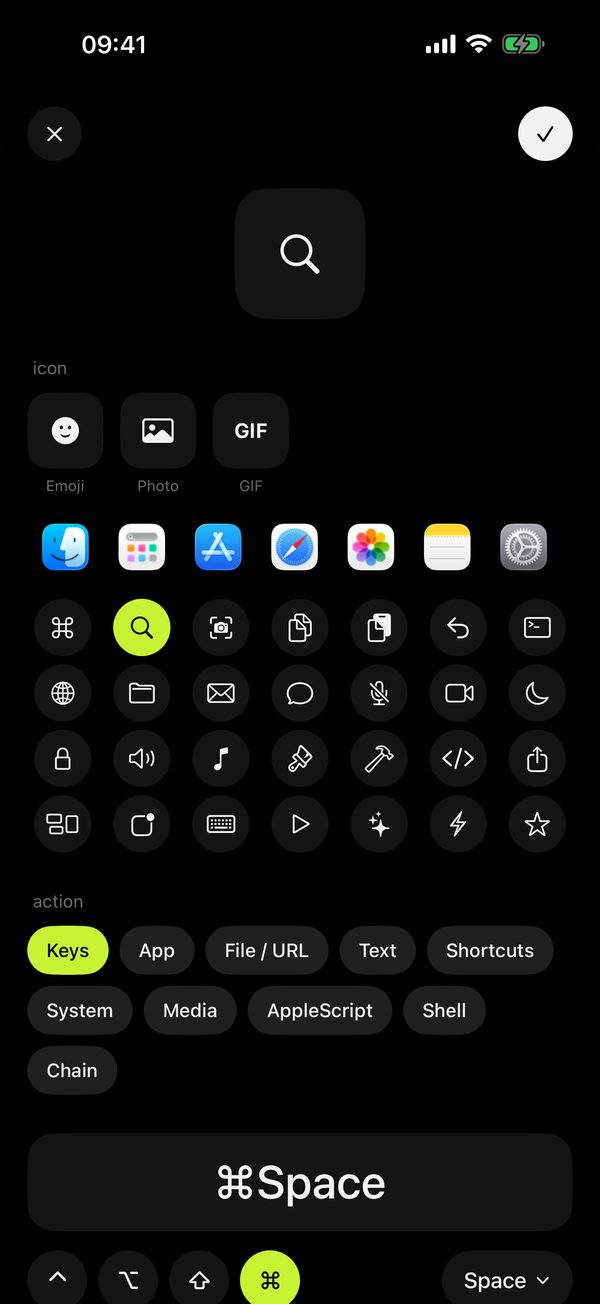
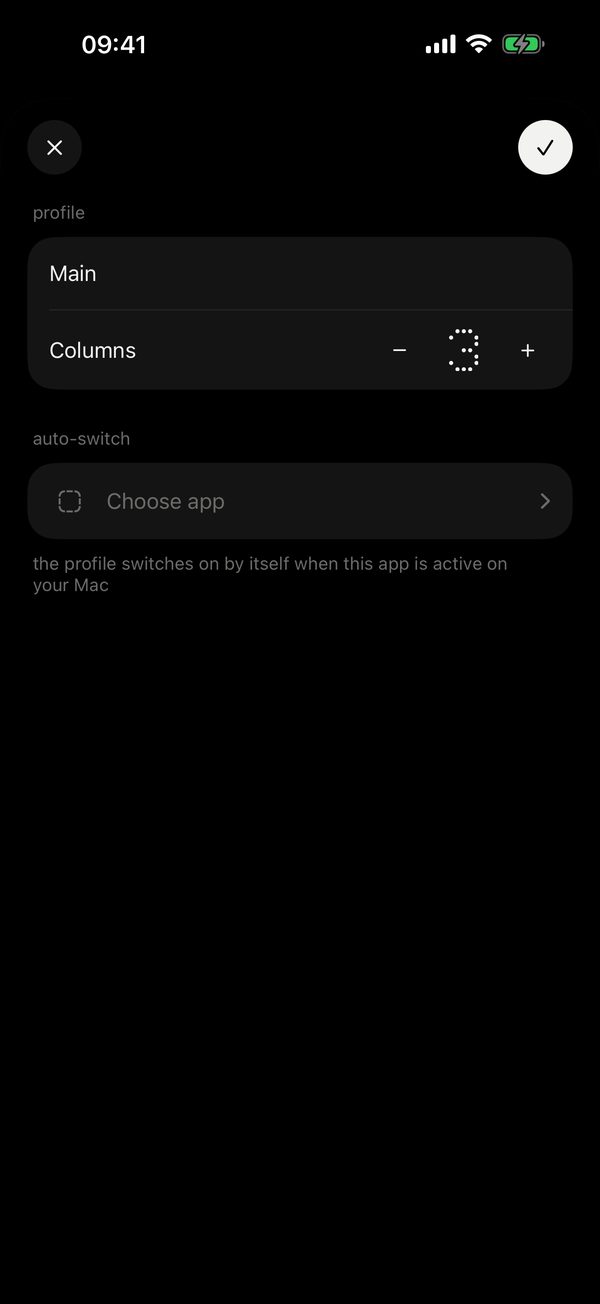
The routine you no longer do by hand
Everyone on the team has their own panel, and it switches with the app by itself. Here is what people put on a single button.

-
Designer
“Export for dev”
⌘⇧E→Enter→Open folder
Three export steps, one tap.
-
Developer
“Start the day”
Terminal→npm run dev→Chrome
The project is running before you sit down.
-
Video editor
“Render for the client”
⌘E→Enter→Render folder
Export without hunting through menus.
-
Teacher
“Start the class”
Lecture file→Start show→Volume 50%
The lecture is up while students sit down.
-
Manager
“Morning”
Mail→Calendar→Slack
The workday opens with one tap.
-
Streamer
“Go live”
Pause music→Live scene→Mic
Scene and sound ready, no window hunting.
Six buttons are free. More buttons, chains of several actions, profiles and auto-switching are in Pro.
Set up buttons on the Mac, tap them on the iPhone
Remolo Helper shows the same buttons as your phone. Change them on the Mac and the phone is already up to date.
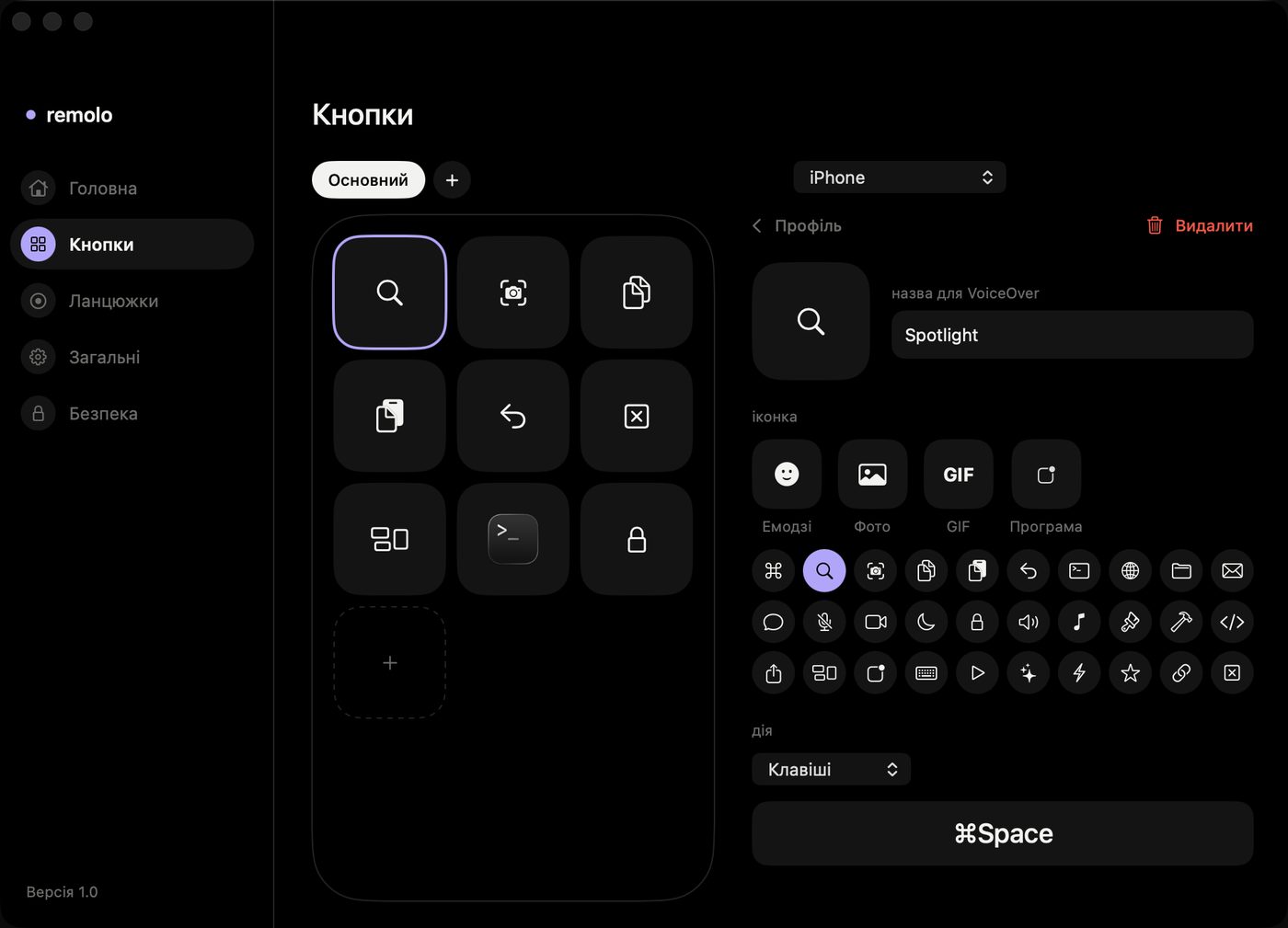
Record a routine. Click Record and work as usual — you get a chain. Or start from a template. In Pro.
Drag in a picture. A photo or GIF lands right on the button. In Pro.
A profile per app. Pick an app and the profile turns on whenever that app is active on the Mac. In Pro.
And a remote for the evening
A film or music — pause, skip and volume for anything playing on the Mac: YouTube, Netflix, Music, Spotify.
Wherever suits you
The Lock Screen, widgets, Siri, iPad — and several Macs in one phone.
Lock Screen. The talk timer and slides, no unlocking. In Pro.
Widgets. Your favourite buttons, the Mac’s music and its status: online, battery, lock. In Pro.
One press. Pause or the next slide from the Action button or Control Center. In Pro.
Voice and Shortcuts. Siri flips slides and locks your Mac (phrases in English), and Shortcuts gets every action and your buttons. In Pro.
Your look and language. Light or dark theme, and English, Ukrainian, German, French or Spanish, for free. Seven app icons in Pro.
iPad and landscape. Turn the phone and the trackpad, buttons and remote go wide (in Pro). On iPad, always and for free.
Several Macs. Home and work, listed under “•••”, one tap to switch. Remolo knows each Mac by its own key, not by the network.
A terminal for the experienced. A mode of its own with your zsh on the Mac. Turn it on in Settings, plus a separate permission on the Mac. In Pro.
For everyone. VoiceOver reads out the buttons and modes, and most screens follow larger text sizes.
Three steps to the first click
- 1
Install Remolo on the iPhone or iPad. Free, iOS 18 or later.
- 2
Install Remolo Helper on the Mac. Free, macOS 15 or later. It lives in the menu bar.
Download Helper - 3
Enter the code from the Mac. Just once. After that the phone finds the Mac by itself. Mac far away? A one-time link from its menu works too.
Your Mac listens only to those you allow
A phone connects only with the code from the Mac’s screen or a one-time link from its menu. Everything between them is encrypted — at home and over the internet.
A code from the Mac. Only someone who can see your Mac’s screen, or has a link from you, can connect.
Encryption. Everything between the phone and the Mac is encrypted.
No accounts. No accounts, no ads. The relay for access from anywhere only sees ciphertext.
Pause on the Mac. One button in the menu bar turns off control and the Mac’s screen, and the phone shows it.
Free forever. Pro when you need more
Trackpad, clicker, remote and buttons are free, with no ads. Pro opens your Mac from anywhere, guest links, files and the clipboard, the laser and much more. The yearly plan starts with 7 free days.
Free
$0Forever, no ads.
- Trackpad, keyboard and Dock
- Clicker with a timer
- Remote for films and music
- 6 buttons of your own
- Several Macs, iPad, light theme and 5 languages
Pro
$14.99A year, the first 7 days free. Or $2.99 a month. The yearly plan works with Family Sharing.
- Your Mac from anywhere and guest links
- Files and a shared clipboard
- Your own gestures, the Mac’s screen and landscape
- Laser, marker, notes and the pocket clicker
- Apple Watch, widgets and Siri
- Unlimited buttons, chains, ready-made profiles
- Sleep timer, your own curtain, terminal, icons
A bug? A month of Pro for it
Shake the phone or open “Something wrong?” in the “•••” menu. No name needed, email and a screenshot only if you want, and the reply comes right into the app, under “My reports”.
A month for each. For every bug we confirm and reproduce, a code for a month of Remolo Pro. Up to 6 codes a year.
The third is a year and Insider. The third confirmed bug brings a year of Remolo Pro and Remolo Insider status. Your name in the thanks only if you add it yourself, and you can remove it any time.
No ratings in exchange. Rewards never depend on a rating or review in the App Store.
Thank you, Remolo Insiders
Questions
What do I need to start?
An iPhone or iPad on iOS 18, a Mac on macOS 15 and the free Remolo Helper. A shared Wi‑Fi is nice to have, not a must.
Do I need internet or an account?
At home, no: the phone and Mac talk directly. Internet is only needed to control the Mac from anywhere (Pro). There are no accounts. Any Mac works — MacBook, iMac, Mac mini, Mac Studio or Mac Pro.
What is free and what is Pro?
Free covers everyday Mac control: trackpad, keyboard, Dock, a clicker with a timer, a remote and 6 buttons. Pro is for when you want more: your Mac from anywhere, guest links, files and clipboard, your own gestures, the laser, Apple Watch, widgets, unlimited buttons. The yearly plan starts with 7 free days. Compare everything.
How does access over the internet work?
Turn on 🌐 in the Remolo Helper menu and pair the phone once: with the code at home, or with a one-time link from afar. From then on the trackpad, buttons, slides and the Mac’s screen work from any network — LTE, a hotel, an office. Everything is encrypted; the relay only sees ciphertext. Over the internet the picture is a few frames a second: for controlling and checking, not for working in Photoshop.
Will I see purchase pop-ups?
No nagging. After the first connection Remolo shows once what Pro offers, and “Stay free for now” closes it. After that an offer appears after your first talk or when you tap a Pro feature yourself. Cancel any time.
Which apps does the clicker work with?
Keynote, PowerPoint, Google Slides in a browser and Preview with PDFs — anything that moves with the arrow keys. Speaker notes (Pro) come from Keynote and PowerPoint only.
Does it work on iPad and Apple Watch?
iPad — yes, for free and with the same purchase. Apple Watch is in Pro: flip slides and keep time from your wrist.
How do I let someone else use my Mac?
In the Remolo Helper menu choose “Guest access”: pick how long (an hour, a day or a week) and what is allowed — trackpad and keyboard, slides, media, the Mac’s screen. The Mac gives you a one-time link that the guest opens on their iPhone. Files, the clipboard, the terminal and button actions are never available to guests, and you can take access back at any time. The owner needs Remolo Pro; the guest does not.
My Mac is not nearby. How do I add it?
In the Remolo Helper menu click “iPhone not nearby” and the Mac makes a one-time link. Open it on your iPhone, confirm, and the Mac is on your list even if you are on different networks. Staying connected from afar needs Remolo Pro.
Can someone else control my Mac?
Only someone you allow. The first connection needs the code from your Mac’s screen or a one-time link from its menu, and every connected phone is listed in the Remolo Helper menu. Details on the Security page.

Your Mac, always at hand
Free. An iPhone or iPad on iOS 18 and a Mac on macOS 15.