Turn it, and it’s full screen
On its side, the Mac’s screen fills the iPhone by itself. Turn it upright and the Mac’s screen is back above the trackpad.
Remolo is a remote desktop app for the Mac, made for touch on iPhone and iPad. Turn your iPhone on its side and the Mac’s screen fills it: tap to click, slide to scroll, hold to drag. At home and from anywhere, with no account.
Coming soon to Europe. In the EU, Remolo comes to the App Store a little later. Leave your email and I’ll write as soon as it’s there.
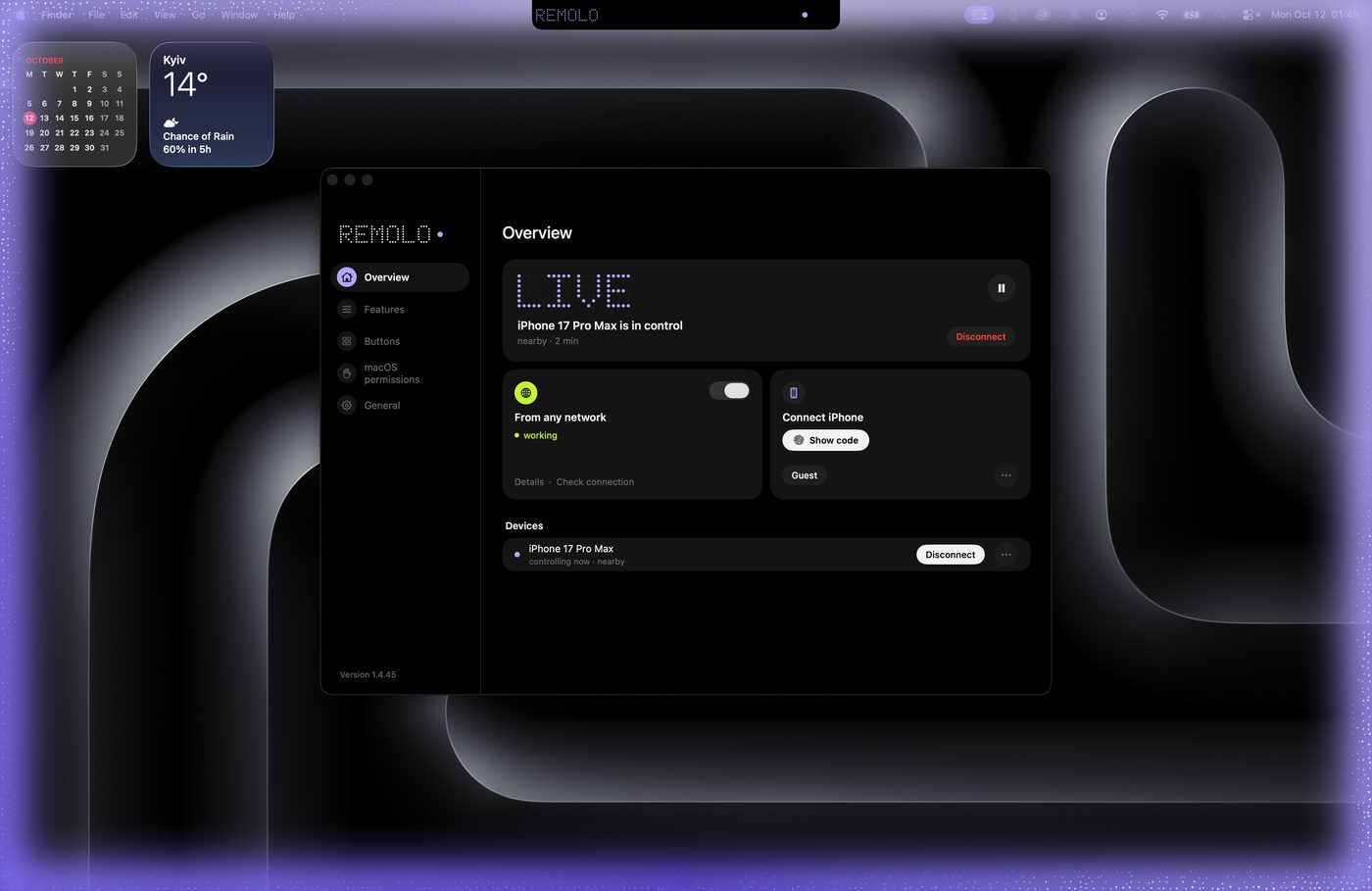
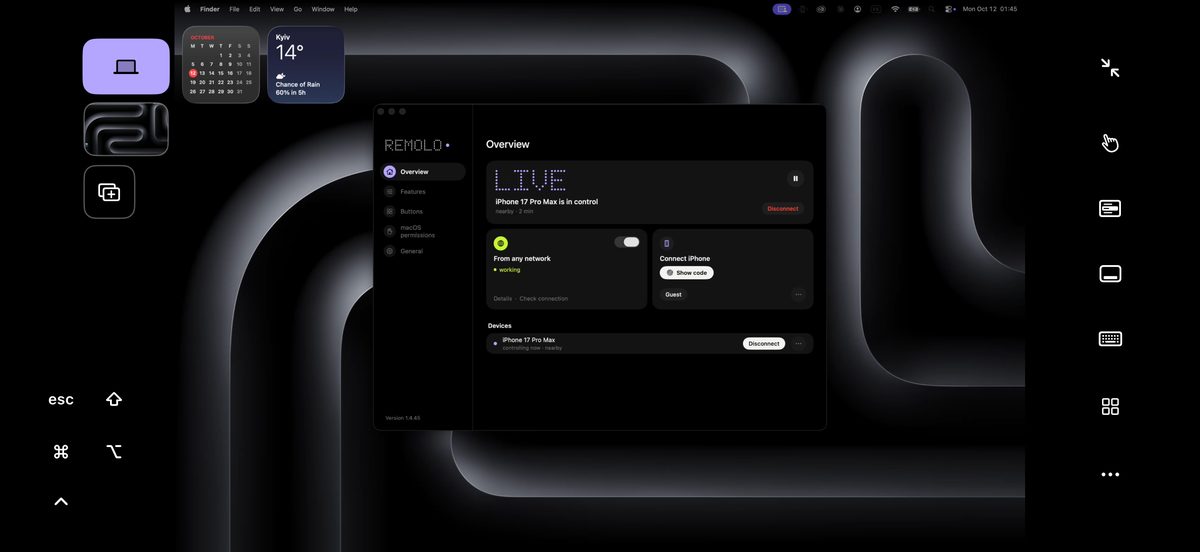

The Mac’s screen is in your hand, and you touch it like your phone. No need to get up.
The Mac’s screen fills the phone, and your finger is right on the Mac. No new gestures to learn: it works like your phone.
On its side, the Mac’s screen fills the iPhone by itself. Turn it upright and the Mac’s screen is back above the trackpad.
Tap to click; the tap snaps to the button. One finger scrolls what is under it. Hold and drag windows and files. Spread two fingers to get closer.
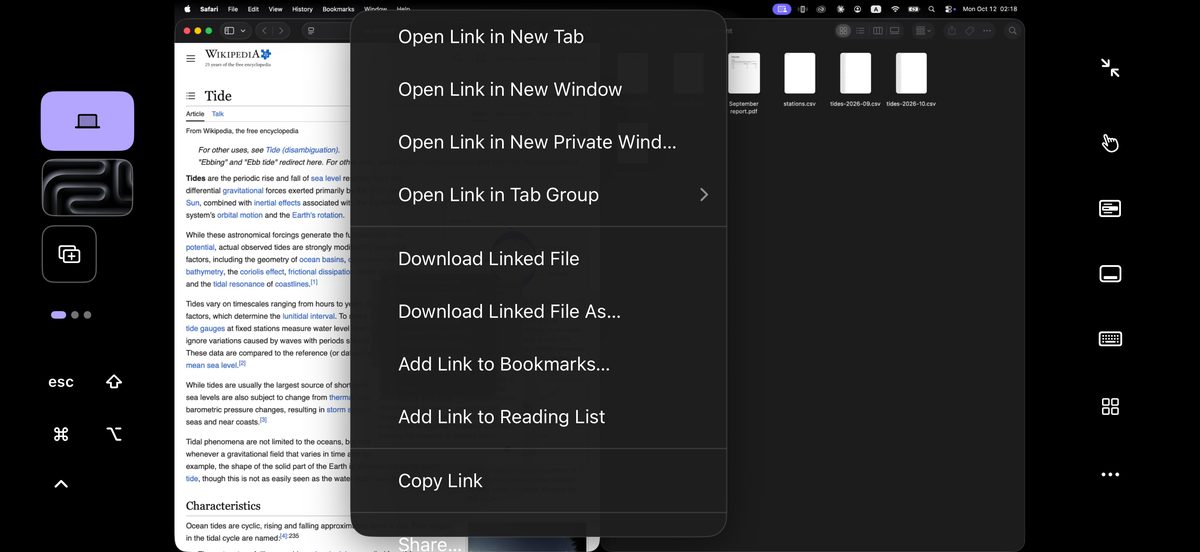
Tap with two fingers, and the Mac’s menu shows up on the phone as rows that are easy to hit.
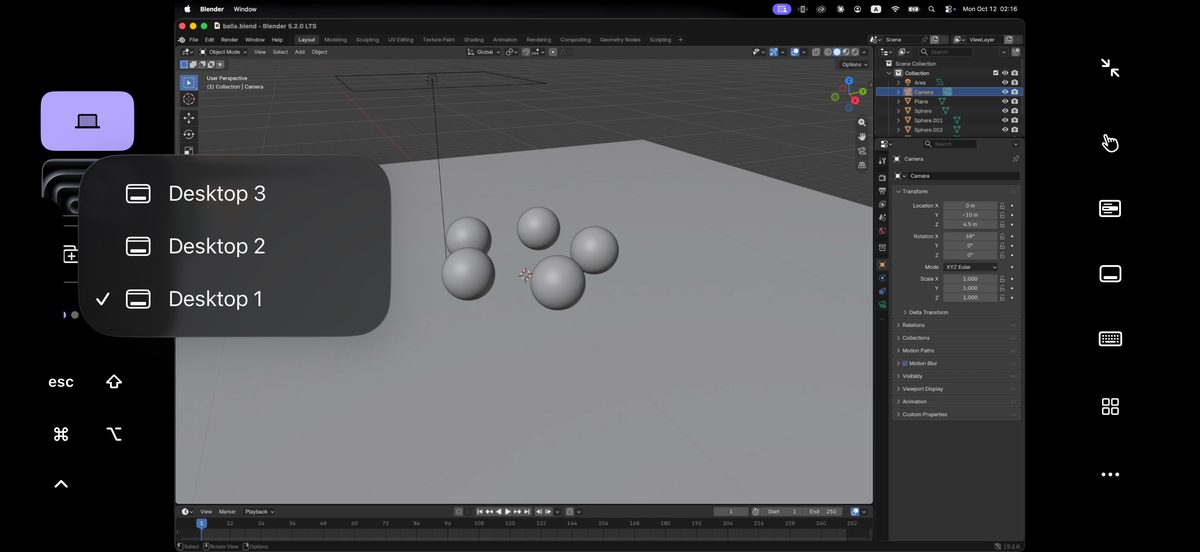
Switch the Mac’s desktops with one button, and three fingers work as on the Mac’s trackpad.
A trackpad with the gestures you know is one tap away. Upright, the Mac’s screen sits above it.
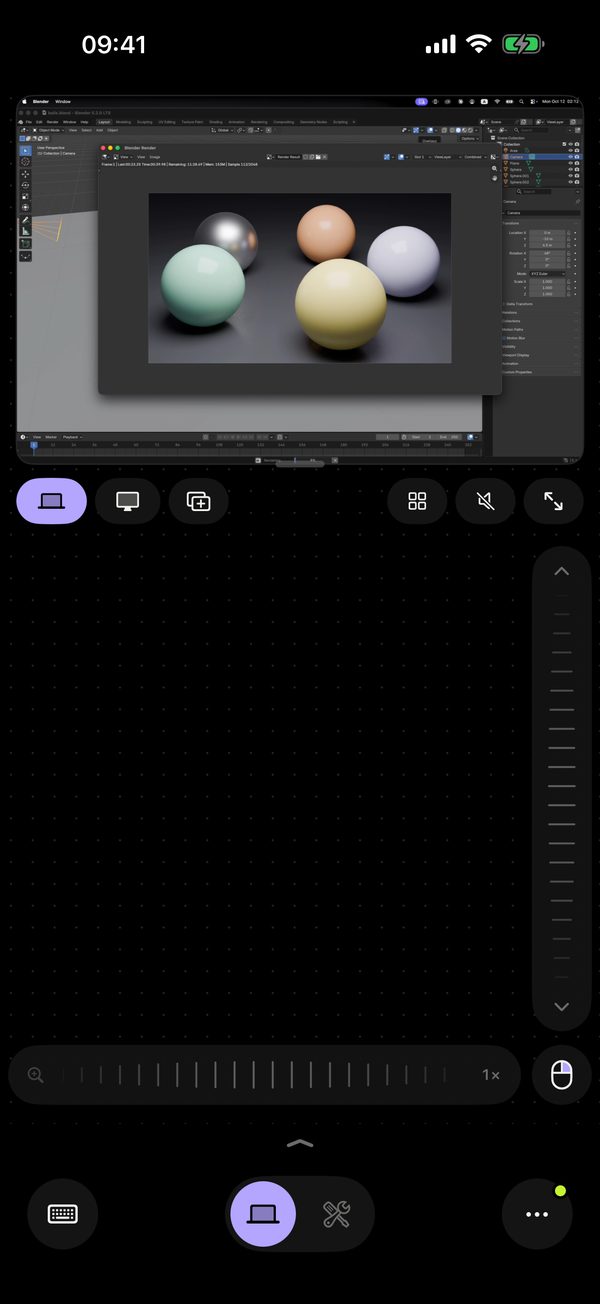

Scan the QR code on your Mac once — no account, no router setup, no VPN. From then on the Mac answers from the couch, an office or LTE. The Mac has to be on and awake: a sleeping Mac can’t be woken from the phone.
Even over mobile data, and back quickly after a network change. The relay is the fallback; the route picks itself, and everything is end-to-end encrypted.
Free from anywhere, counted by the Mac itself. Unlimited with Pro.
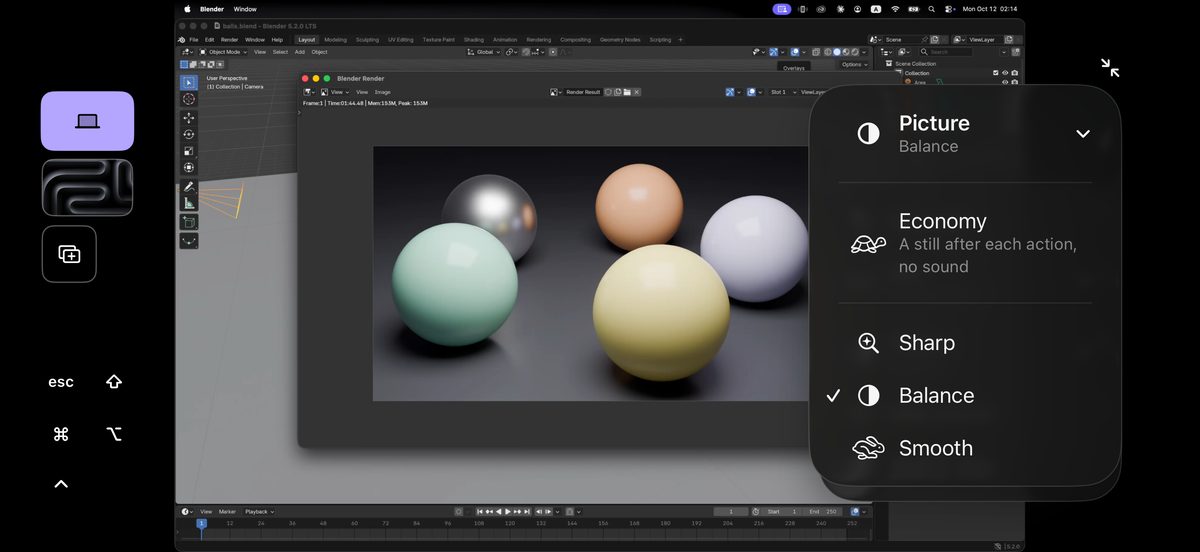
Remolo switches to economy by itself: fewer frames, a fresh picture after each action, and sharp text as soon as the screen stops.
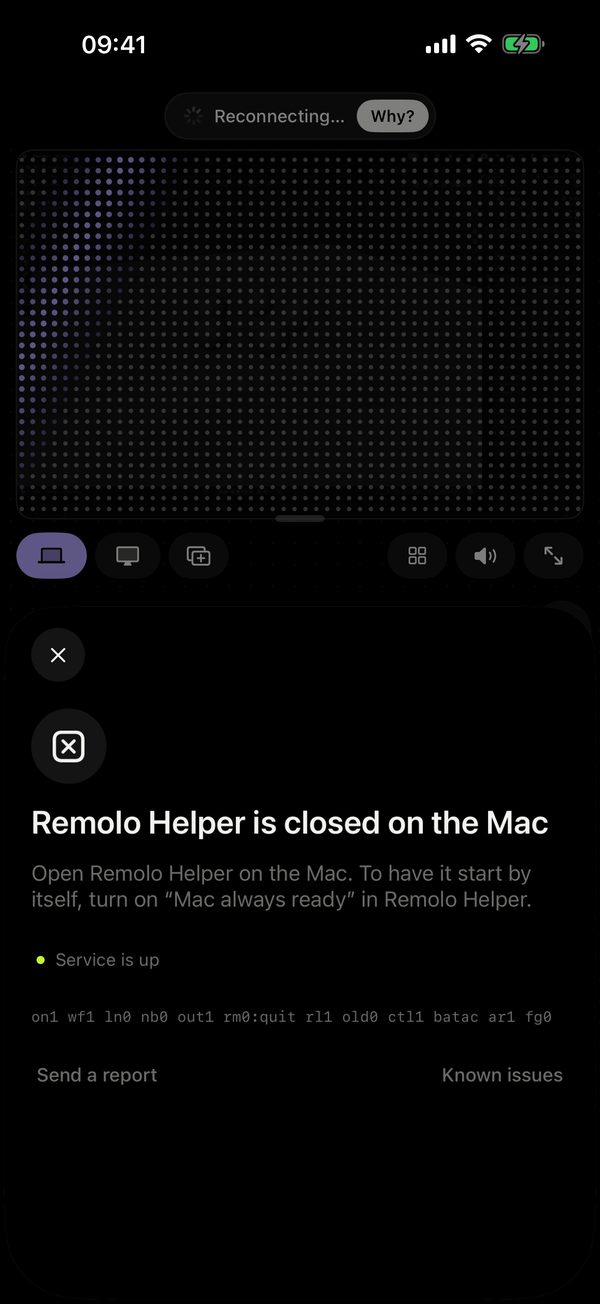
The Mac doesn’t answer, and Remolo tells you why: asleep, lid closed, offline or Helper closed.
While access from anywhere is on, the Mac doesn’t fall asleep by itself, so it’s there when you’re out.
Install Remolo Helper on the Mac. Free from remolo.app. Or tap “Send to Mac” in Remolo on the iPhone: the link remolo.app/mac downloads the Helper by itself.
Download the HelperGive the permissions in one window. Open, flip the switch, and the tick appears by itself.
Scan the QR code. The Helper window shows a QR code and 6 digits. Scan it with the iPhone, and the Mac’s screen is on your phone.
No account, no router setup, no VPN.
Step-by-step guideThe Mac’s live screen and its sound, right on your phone. Control it, or just watch.
Spread two fingers and small text reads clearly. The zoom strip does it one-handed.
The Mac’s screen across the whole display with no control: a render, a build or a long export, and no stray touches.
“On top”: a render or an agent in a small window over your other apps while you chat.
A finish chime or a video plays right on your phone.
Switch between the Mac’s monitors with one tap.
For your work Mac: see from the couch or the road whether it’s done, and answer if it asks.
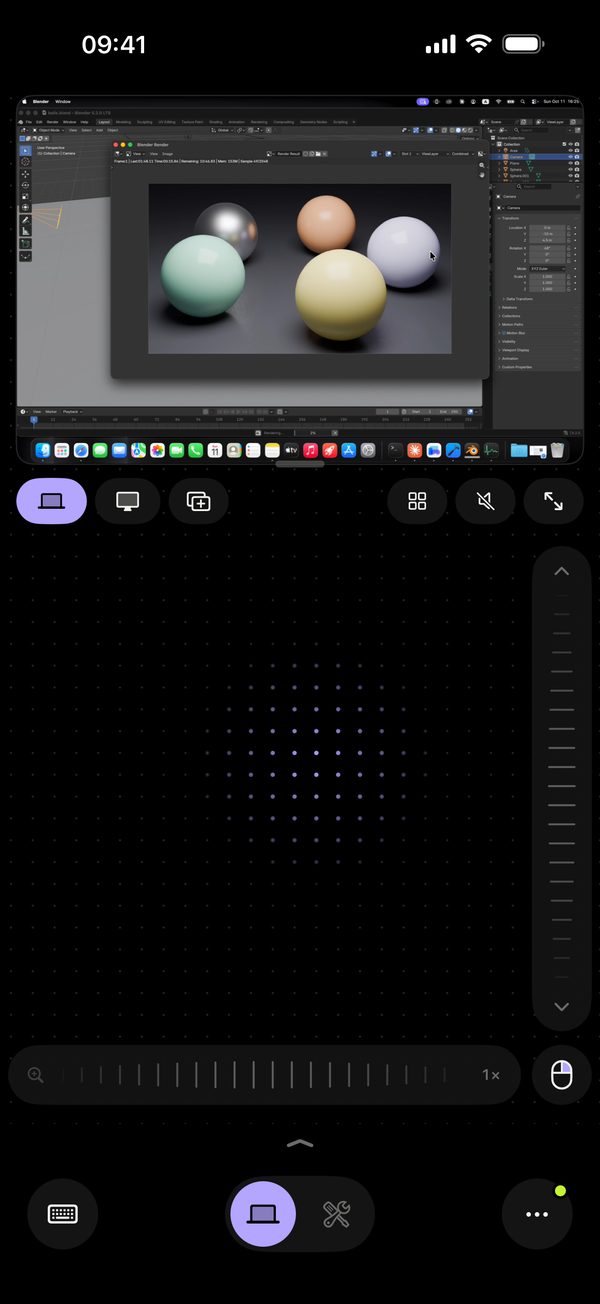
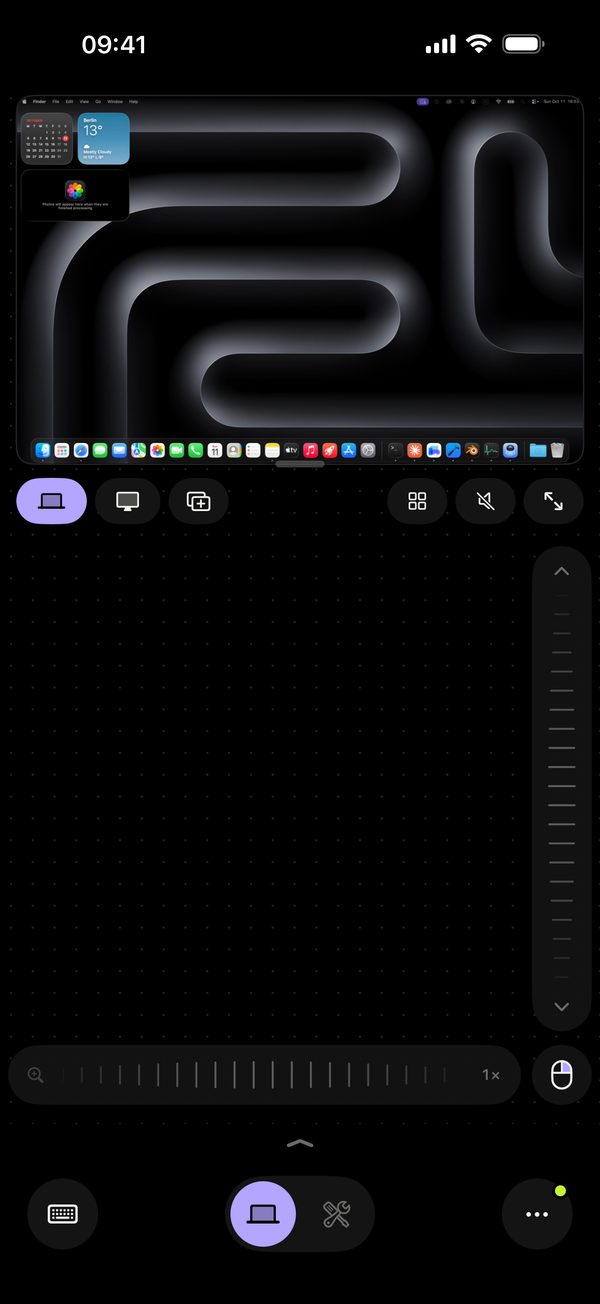
The keys a phone lacks, the Mac’s Dock, files and media, where you look for them.
⌘ ⌥ ⇧ ⌃, arrows, Esc and the F-keys in a row over the keyboard, in any language and with dictation.
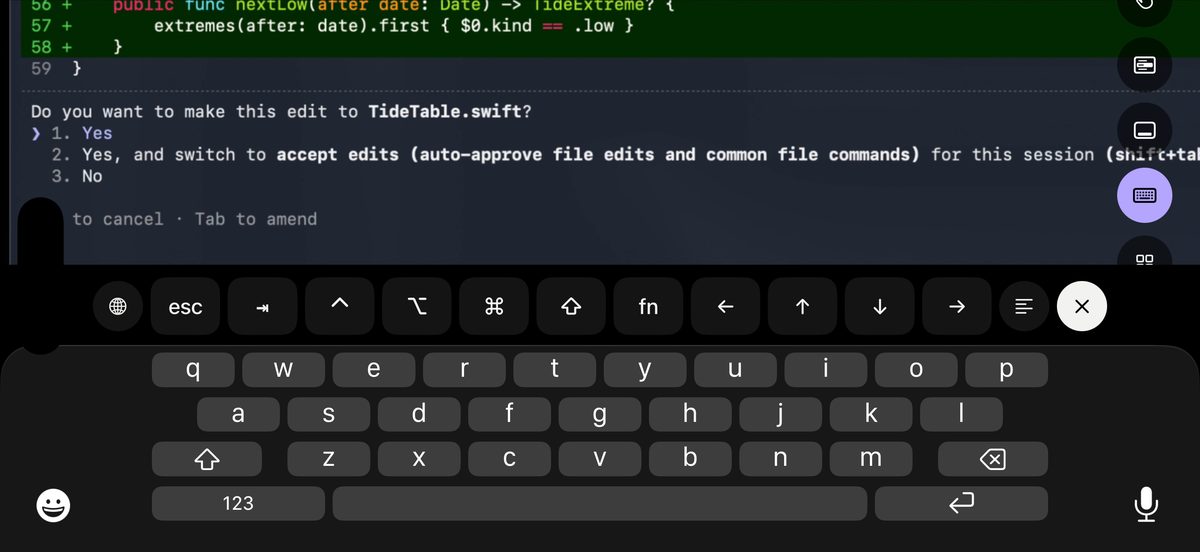
On iPhone, swipe up in the strip beside the picture; on iPad, a button in the row. Hold an app for its windows and recent files. The window manager is Pro.
Pause, ±10 s, volume and speed for any player on the Mac.
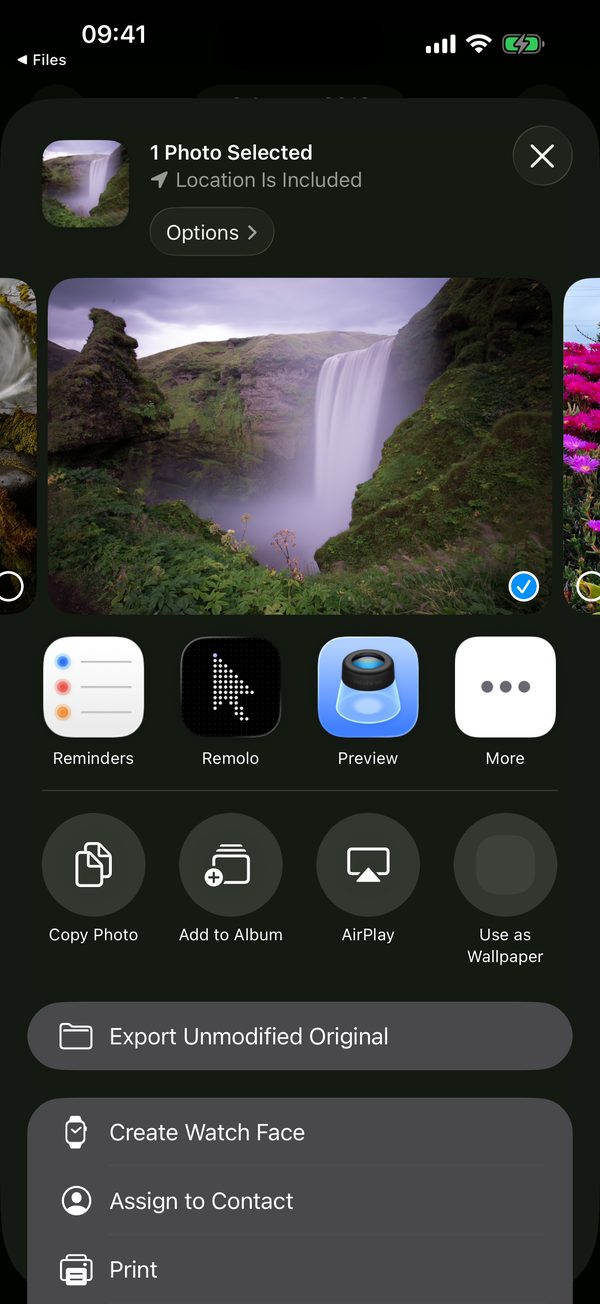
Remolo appears in the Files app on iPhone and iPad with your Mac inside: its Desktop, Documents and Downloads next to iCloud Drive. Open the Mac’s files in any app and add new ones, nearby or remotely. And from the Files tab in Remolo a file goes either way in one tap.
From any app: a photo, a PDF or text goes straight to the Mac’s Downloads or clipboard, a link opens in the Mac’s browser. Links for everyone; files and text with Pro.
Lock or sleep the Mac from the phone. Unlock with a glance in Pro.
Work and home, each with its last screen.
A link for an hour, a day or a week, only to what you allow.
One controls, the others watch. Free: 1 phone, Pro: up to 3.
An app, a shortcut or a chain in one tap. 6 buttons free.
The Mac’s status, buttons and pause without opening Remolo.
Your zsh on the Mac from the phone: up to four windows, a command library and ⌃C at hand.
Take a file from the Mac to your iPhone or drop a photo into the Mac’s Downloads, nearby or remotely.
Advance Keynote and PowerPoint slides, with presenter notes and a timer, phone in hand or in your pocket.
Work, home, studio: switch with one tap in “•••” and see how each one is reached.
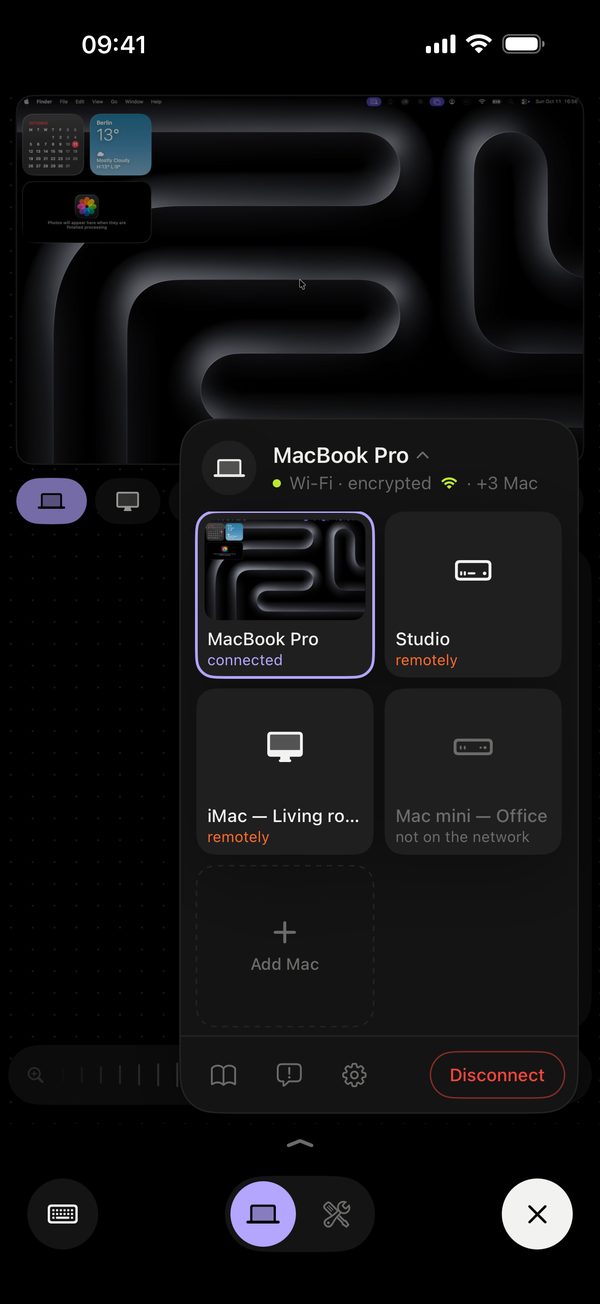
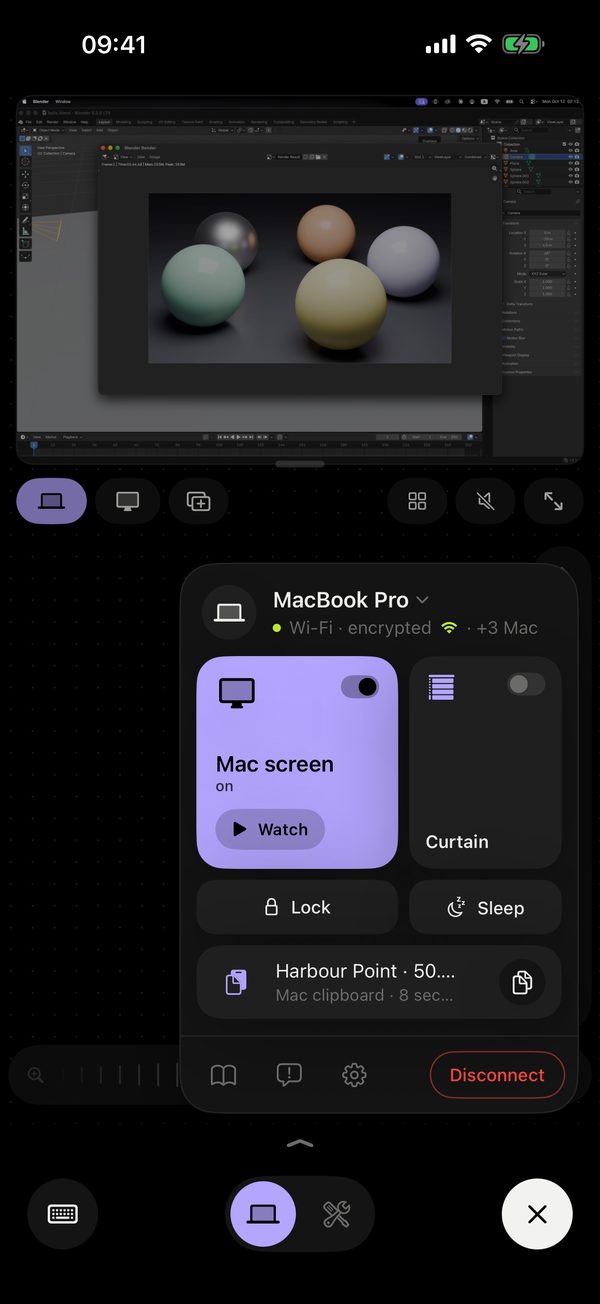
One tap in the screens menu and the Mac gets one more display at Retina sharpness. macOS treats it like any monitor: drag a chat, a log or a timer onto it. Free.
Free; it needs Remolo Helper 1.4. The phone that is in control of the Mac adds the screen. How it works
The same purchase, the same Mac, on a bigger screen.
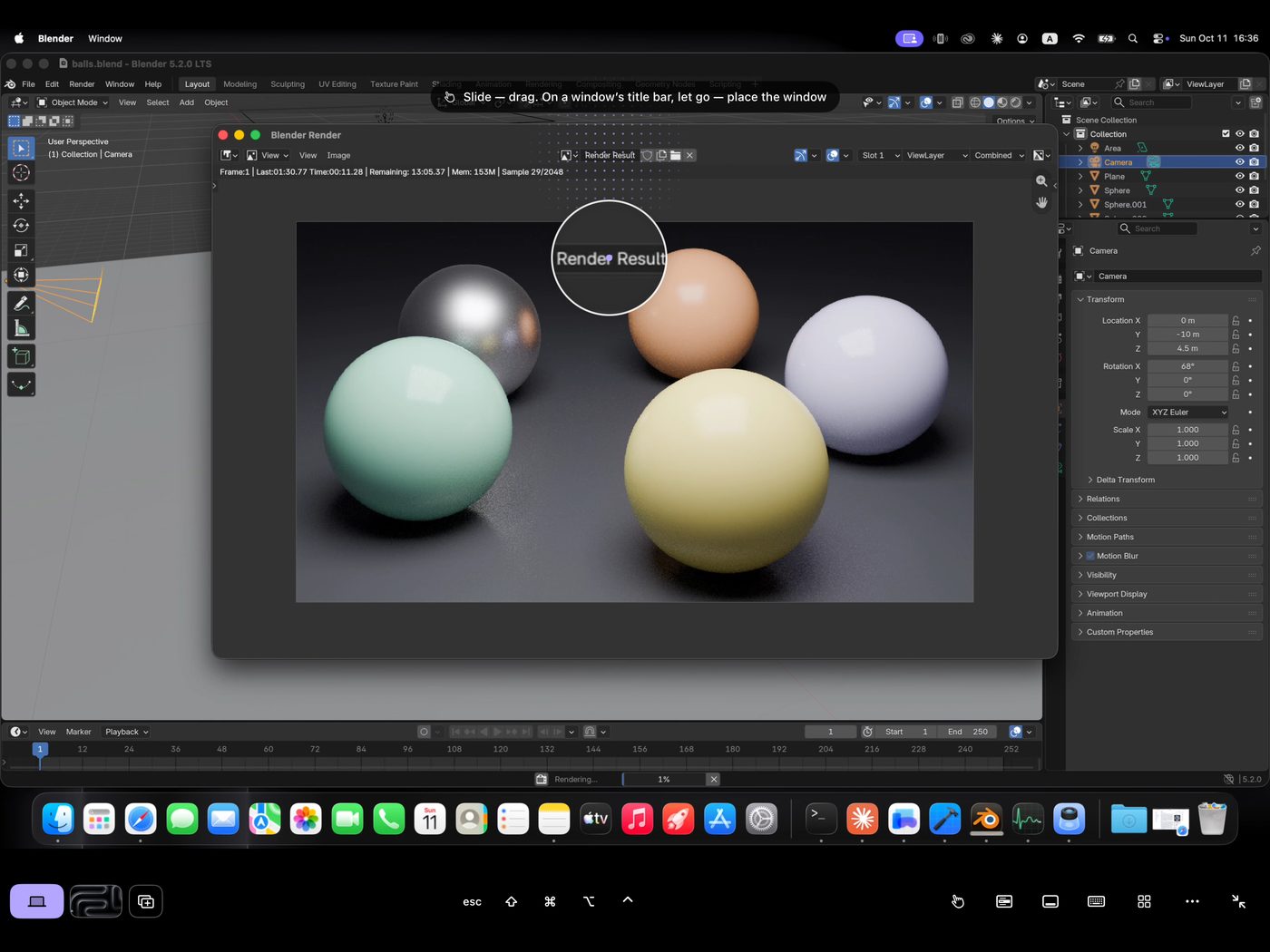
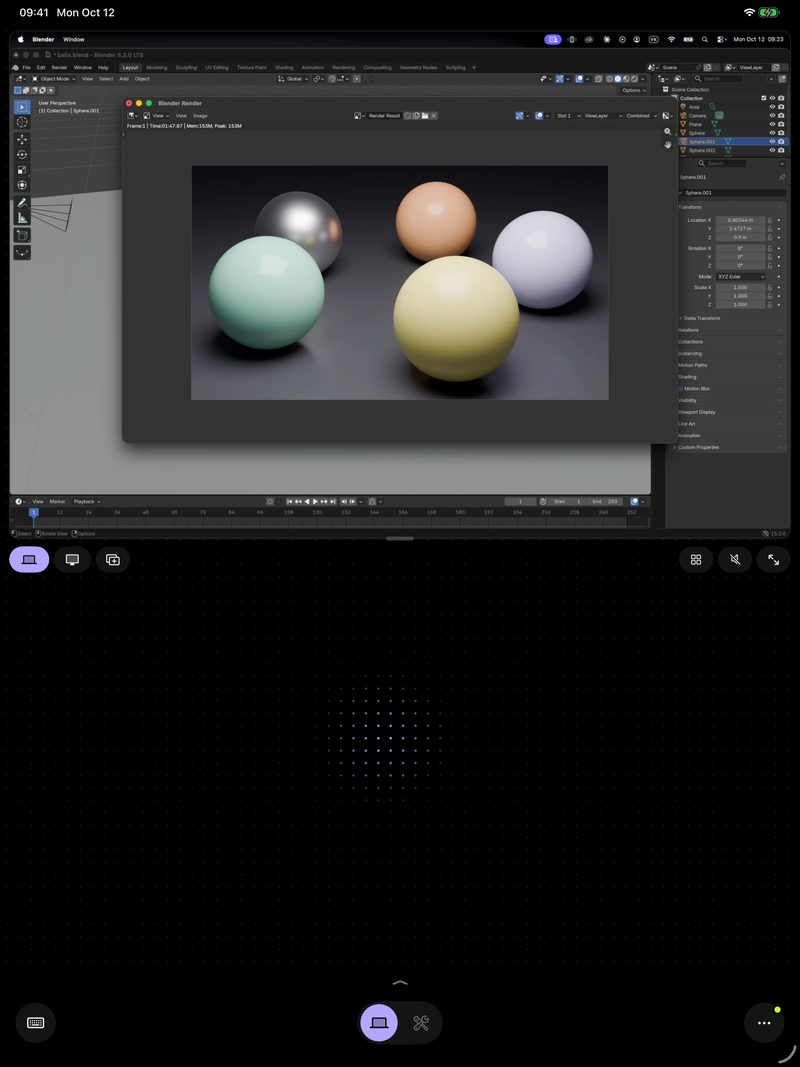
On its side, full screen. The Mac’s screen fills the iPad by itself, for direct touch.
Upright, a trackpad. The Mac’s screen over a big trackpad.
Buttons in a row. The Dock, keyboard and menus in a row under the picture, not over the Mac.
No account, no ads. A new phone connects only with the code from the Remolo Helper window on the Mac, or a one-time link from its menu, and everything between them is end-to-end encrypted — at home and over the internet.
A code from the Mac’s screen. The code stays hidden until someone clicks “Show code” on the Mac, with Touch ID or the password once a phone is paired.
End-to-end encryption. The relay stores nothing and can’t see the content.
No accounts. No sign-up, no password, no ads.
You see who is in control. While a phone is in control, the Mac’s screen edges glow lavender. Esc three times at the Mac stops it all.
Full control of the Mac at home is free, with no ads. Pro opens your Mac from anywhere without limits, adds desktops, files, several Macs and much more. The yearly plan starts with 7 free days.
Forever, no ads, for one Mac.
A year, and the yearly plan starts with 7 free days. Or $3.99 a month.
Shake the phone or open “Something wrong?” in the “•••” menu. No name needed, email and a screenshot only if you want, and the reply comes right into the app, under “My reports”.
A month for each. For every bug we confirm and reproduce, a code for a month of Remolo Pro. Up to 6 codes a year.
The third is a year and Insider. The third confirmed bug brings a year of Remolo Pro and Remolo Insider status. Your name in the thanks only if you add it yourself, and you can remove it any time.
No ratings in exchange. Rewards never depend on a rating or review in the App Store.
Remolo is a remote desktop app for the Mac, made for touch on iPhone and iPad. Turn the iPhone on its side and the Mac’s screen fills it; you touch it directly: tap to click, slide to scroll, hold to drag. It works at home and from anywhere, with no account and end-to-end encryption. The iPhone and iPad app (iOS 18+) pairs with the free Remolo Helper on the Mac (macOS 15+). The current version is Remolo 1.4, October 2026.
Yes. You see the Mac’s live screen at up to 60 fps with its sound and control everything on it: apps, windows, files, the keyboard. Unlike VNC or macOS Screen Sharing, Remolo is made for a phone’s screen and fingers. It works with Macs only, not Windows or Linux; for those, TeamViewer or AnyDesk fit better. How Remolo differs from Jump Desktop, Screens and TeamViewer is on the comparison page.
With a trackpad or a VNC viewer you move a small cursor and aim it. In Remolo you touch the thing itself: tap a button to click it (the tap snaps to the nearest button), slide one finger to scroll what is under it, hold to drag a window or a file, tap with two fingers for the Mac’s context menu, which the phone shows as big rows. Prefer a cursor? The trackpad is one tap away.
An iPhone or iPad on iOS 18, any Mac on macOS 15 — MacBook, iMac, Mac mini, Mac Studio or Mac Pro — and the free Remolo Helper from remolo.app. You pair with the QR code in the Helper window: no account, no router setup, no VPN.
Yes. When the link gets weak, Remolo switches to economy by itself: fewer frames — a fresh picture after each action instead of a stream — with text turning sharp as soon as the screen stops. Over mobile data Remolo is for a quick look and a fix, not a full day of work.
Pair the phone once — with the QR code on the Mac, or with a one-time link from the Remolo Helper menu when the Mac isn’t nearby — and access from any network turns on by itself. From then on the Mac answers over LTE, from a hotel or an office: a direct line even over mobile data, with the encrypted relay as the fallback. Remolo picks the route itself. Without Pro you get 10 minutes a day from anywhere, counted by the Mac itself.
Free, for one Mac: full control at home — touch, the trackpad, the screen at up to 60 fps with sound, the keyboard, the Dock, media, the iPhone or iPad as a second Mac screen — and 10 minutes a day from anywhere. Remolo Pro ($3.99 a month or $19.99 a year) adds unlimited access from anywhere, desktops, files and the clipboard, the Mac in the Files app, several Macs, Face ID unlock, picture in picture, guests and up to 3 phones on one Mac. The yearly plan starts with 7 free days. Compare everything.
No. The phone pairs with the Mac by the QR code or the 6 digits in the Remolo Helper window. No sign-up, no password, no ads.
Yes, with the same purchase. Turn the iPad on its side and the Mac’s screen fills it, for direct touch. Upright, the Mac’s screen sits over a big trackpad. The Dock opens with a button in the row under the picture.
Yes, for free. In the screens menu tap “iPhone as a second Mac screen”: the Mac gets one more display at Retina sharpness, and macOS treats it like any monitor — drag windows onto it. ✕ takes it away. It needs Remolo Helper 1.4.
No: a sleeping or switched-off Mac can’t be woken from the phone. Instead, “Mac always ready” (on by default) keeps the Mac from falling asleep by itself while access from anywhere is on; on battery, while the charge is above 30 %. A closed laptop lid still puts it to sleep.
Tap “Why?” and Remolo names the cause — the Mac is asleep, the lid is closed, the Mac is offline, Remolo Helper is closed, or access from outside is off on the Mac — and what to do. Every cause is on the status page.
No. While Remolo is in the background or the phone is locked, the minutes don’t run, and reconnecting doesn’t count either — only the time you actually control the Mac over the internet. At home there are no minutes at all.
Only someone you allow. A new phone connects only with the code from the Remolo Helper window — and once a phone is paired, the Mac asks for Touch ID or its password before it shows a code — or with a one-time link from the Helper menu. While a phone is in control, the Mac’s screen edges glow lavender, and Esc three times at the Mac stops it all. Details on the Security page.
In the Remolo Helper menu choose “Guest access”: pick how long (an hour, a day or a week) and what is allowed. The guest opens a one-time link on their iPhone. Files, the clipboard and the terminal are never available to guests, and you can take access back at any time. The owner needs Remolo Pro; the guest does not.
Yes: one phone controls, the others watch, and the owner takes control back with one tap. Without Pro one phone at a time, with Pro up to three.
Honestly: Remolo is made by one person. I read every “Something wrong?” report myself and answer in the app as soon as I can. Many fixes are already on the status and known issues page.
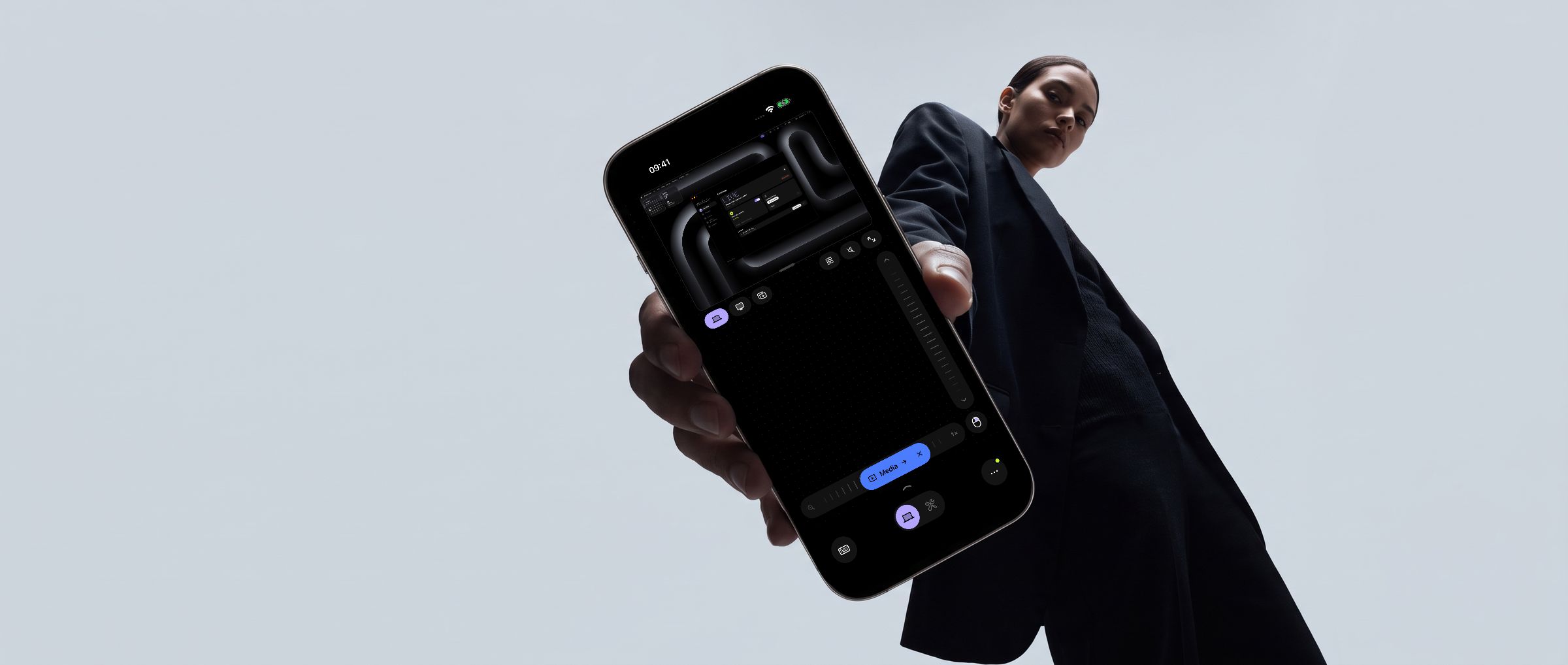
Free. An iPhone or iPad on iOS 18 and a Mac on macOS 15.
Coming soon to Europe. In the EU, Remolo comes to the App Store a little later. Leave your email and I’ll write as soon as it’s there.