Your Mac listens only to your phone
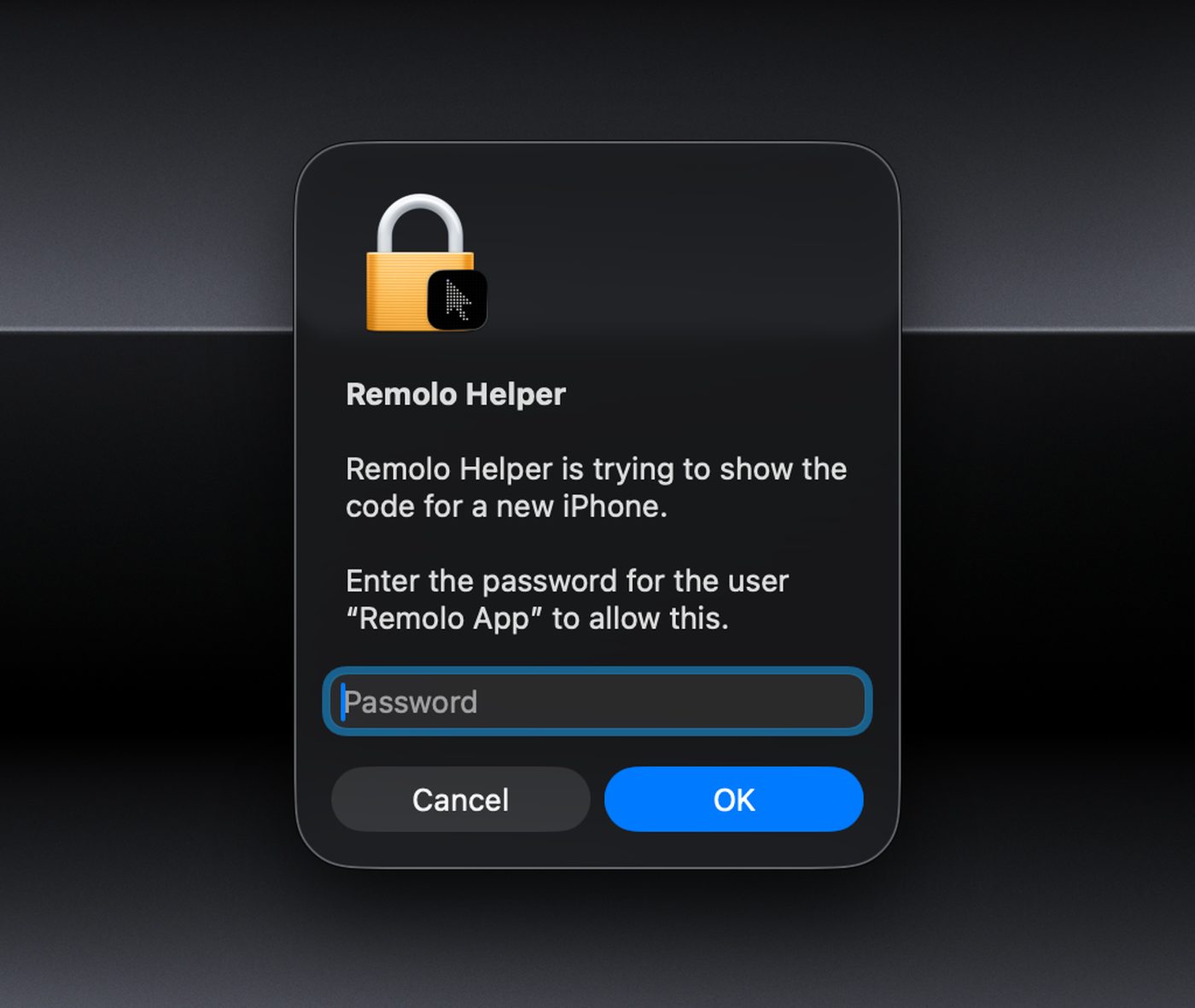
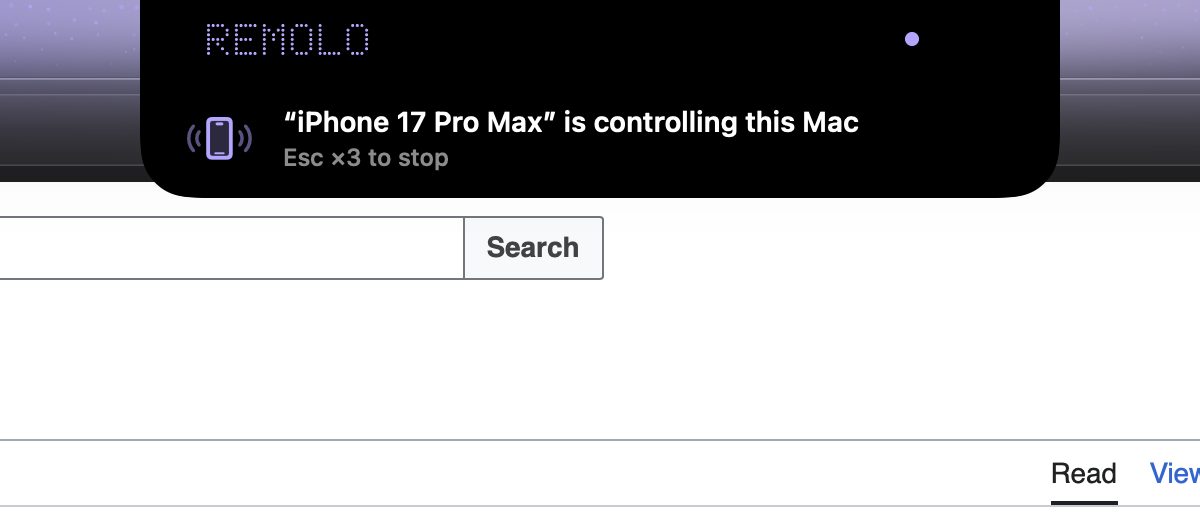
Remolo, the remote desktop app for the Mac made for touch on iPhone and iPad, lets only your own phones and the guests you invite reach the Mac. The pairing code appears only after “Show code” on the Mac itself (with Touch ID or the password), every connection is end-to-end encrypted, the Mac’s screen edges glow lavender while a phone is connected, and Esc three times stops everything. There are no accounts.
Updated
How it’s built: two apps and no account
Remolo on your iPhone or iPad talks to Remolo Helper on your Mac, and to nobody else. There is no Remolo account, login or password to steal, and no server we could use to get into your Mac. The Mac compresses and encrypts its own screen, and only your phone decrypts it.
- Keys live on the devices. Every iPhone and every Mac has its own key, made on the device itself.
- Remolo’s servers have nothing to read. The relay is used only when a direct line doesn’t work, and it passes ciphertext along without the keys.
- The Mac decides. Who may connect, what a guest is allowed, how many free minutes are left — the Mac checks all of it, not a server.
Pairing: a code only next to the Mac
A new phone reaches the Mac only two ways: with the code from the Mac’s screen on the same network, or with a one-time link you made yourself in the Helper menu.
- A hidden code. The QR and 6 digits appear only when someone at the Mac clicks “Show code”. Once the Mac has a phone, Touch ID or the Mac’s password comes first. Only the very first setup opens pairing by itself.
- Short-lived and single-use. A code lasts 2 minutes (5 in the first setup) and works for one phone. Five wrong in a row and pairing closes until someone at the Mac clicks “Show code” again.
- Only from the same network. Connections over the internet or the relay can’t pair at all; only phones the Mac already knows and guests with a link get in.
- A recording doesn’t give the code away. It is checked with CPace, a password-authenticated key exchange on X25519, inside a Noise XX handshake. Overhearing the exchange doesn’t let anyone guess the code offline, and each try is one check.
- A one-time link when the Mac is far away. A 256-bit secret after the “#” (the server never receives it) that burns on the first wrong try and lasts a day at most. A link for your own iPhone also waits for “Is this my iPhone?” on the Mac, and a phone added by link gets the terminal, files, the curtain and unlocking only after a day.
Keys: on your devices and nowhere else
When they pair, the iPhone and the Mac exchange Curve25519 public keys and remember each other. Private keys never leave the device.
- On iPhone and iPad, in the Keychain as “this device only”: the key doesn’t sync to iCloud and doesn’t move to another phone from a backup.
- On the Mac, in the user’s Keychain.
- Nobody can pretend to be your Mac. The phone remembers its Mac’s key and drops the connection if the key differs, even when the “Mac” answers through the relay. The Mac likewise lets in only the phones on its list.
- Forget means forget. Forget in the Helper removes the phone’s key from the Mac; a phone not used for 90 days is forgotten by the Mac on its own.
The session: end-to-end encryption with fresh keys every time
- A Noise handshake. First contact uses Noise XX with CPace; coming back to a known Mac uses the quicker Noise IK. Both run on Curve25519, ChaCha20‑Poly1305 and SHA‑256.
- New keys for every session. Each handshake makes fresh ephemeral keys, so a session recorded today can’t be decrypted later, even with the devices’ keys.
- Every message is sealed. Commands, the picture and sound are encrypted with ChaCha20‑Poly1305 and a counter, so a changed, replayed or stale message is thrown away.
- The direct UDP line has its own key for each direction, derived from the same session’s keys.
Routes: direct whenever possible
Remolo picks the route itself and always starts with the shortest. On every path the content is encrypted with the same session keys.
- At home the phone finds the Mac on the local network and connects directly. Nearby without shared Wi‑Fi (Apple’s peer-to-peer Wi‑Fi) works only while “From any network” is on.
- Away from home the phone and the Mac ask public STUN servers (Cloudflare, Google) for their outside addresses and connect directly over UDP. STUN sees only the request’s IP address and port — not who you are, and not the content.
- A port on the router. While “From any network” is on, the Mac may ask the router to open a port (NAT-PMP or UPnP). Turn the switch off and the port closes.
- The relay on Cloudflare is the fallback. It passes encrypted packets between the phone and the Mac and has no keys to read or change them. It sees what any server sees: IP addresses, timing and the amount of traffic.
On the Mac: you see who is in control, and one move stops it all
- Lavender edges. While a phone is connected, the edges of the Mac’s screen glow lavender, and under the notch you see who is in control. On by default; only the Mac itself can turn it off.
- Esc ×3. Esc three times within a second and a half on the Mac’s keyboard disconnects every phone and pauses Remolo. Esc sent from a phone doesn’t count.
- “From any network”. The switch in the Helper’s Overview. It turns on by itself with the first phone; turn it off and phones outside are disconnected, the router port closes, and the Mac stops waiting on the relay.
- Guests within limits and time. An hour, a day or a week, and only what you tick: files, the clipboard, the terminal and scripts, never. The Mac itself enforces the rules.
- Stricter if you want. “Ask permission for every connection”, separate permissions for connections nearby and from the internet, and scripts and Terminal stay off until you turn them on at the Mac.
macOS permissions, and why
macOS doesn’t let anyone grant these from Terminal or a script; only you can, in System Settings.
| Permission | Why |
|---|---|
| Accessibility | To move the pointer, click and press keys on commands from your phone, and to read what control needs: window titles, menus and context menus, Dock badges, what a touch lands on. Remolo never reads password fields. |
| Screen & System Audio Recording | To show the Mac’s screen and sound on your phone. The Mac compresses and encrypts the picture itself. |
| Local Network | So the iPhone can find the Mac at home and talk to it directly. |
| Notifications | To tell you who connected from outside and that the emergency stop worked. |
| Automation, folders, login | Only for what you turn on yourself: AppleScript buttons, files from Desktop, Documents or Downloads, opening the Helper at login. |
What we can’t do
- See your screen, files, clipboard or what you type.
- Connect to your Mac: we have no master key and no account that could be “recovered”.
- Add a phone to your Mac, give a guest access or change what a guest may do.
- Read what passes through the relay.
What we keep
| What | How and how long |
|---|---|
| Crash reports | Only with your consent. Apple’s MetricKit collects them; after a crash the iPhone asks Send, Always or No, and in the Helper the switch is off by default. Kept 90 days. |
| Usage statistics | Pseudonymous counts through TelemetryDeck: how pairing went, why a connection failed, picture quality in coarse ranges. No names, text, screen or files. In the EU, the UK and Switzerland Remolo asks first; you can turn it off in the settings of both apps. |
| “Something wrong?” | Only what you send yourself: the text, an email and a screenshot if you add them, the device model, versions and connection state. 180 days, and you can delete it. |
| The relay | For each Mac, a hash of its room key, an online flag with the Helper version, and how and when the Mac last went offline (for “Why?”). Erased after 30 days without contact. It holds no session content. |
| IP addresses | Our servers see the IP address of each request, like any website. We use it only to limit request rates and keep it no longer than 48 hours. |
Every detail is in the privacy policy.
Honest limits
- Closed source, no external audit yet. We review the code ourselves before every release; everything on this page is checked against the Remolo 1.4 code.
- Trackpad and keyboard are full access. Whoever controls your Mac can do anything you can at it. So guests and links are for your own people only.
- Your phone is your key. An unlocked phone with Remolo opens your Mac. Keep Face ID or a passcode on it, and Forget a lost phone in the Helper.
- Metadata is visible. STUN and the relay see IP addresses, timing and the amount of traffic, though not the content.
- Older versions. The Helper still accepts Remolo apps older than 1.4 over the previous protocol, which is weaker than Noise. Update Remolo on all your phones.
- Fakes. The Helper asks for Accessibility and Screen Recording, so a fake would get the same rights. Download it only from remolo.app and check its signature.
We never ask for access
Remolo never asks for your code, link or access to your Mac — not by email, phone, chat or ads. Whoever asks is a scammer, even if they call themselves Remolo support. Only ever use a code or a link yourself, on your own iPhone.
The official channels are these and no others:
- remolo.app — the website and the only place to download Remolo Helper
- support@remolo.app — support; our emails only ever come from @remolo.app addresses
- the Remolo page on the App Store (from launch day)
- @RemoloApp on X · @RemoloApp on YouTube
Found a vulnerability?
Write to support@remolo.app with the subject “Security”: what you found, how to reproduce it, and the versions of Remolo, the Helper, iOS and macOS. I’ll answer personally, fix the most serious first and, if you like, thank you on the site. Please don’t publish details until the fix is out, and don’t test on other people’s Macs.
Questions
Can someone in a café control my Mac?
No. To connect for the first time you need the six digits shown on your own Mac (or the QR under them) or a one-time link from its menu. The code stays hidden until someone at the Mac clicks “Show code”, and once the Mac already has a phone, it asks for Touch ID or its password first. A code lasts 2 minutes (5 during the first setup), works once, and is accepted only from the same network, never over the internet. After five wrong codes in a row pairing closes until someone at the Mac clicks “Show code” again. The QR and the code are checked with a password-authenticated key exchange (CPace) inside a Noise XX handshake, so they can’t be guessed from recorded traffic. And every connected phone is listed in Remolo Helper.
Can Remolo see my screen?
No. The Mac itself compresses and encrypts the picture, and only your phone decrypts it. Neither we nor the relay have the session keys, so even when a connection goes through our server, it only passes ciphertext along.
How safe are links for a guest or for my own iPhone?
A link works once: as soon as it is used, it is gone. The secret in it is 256 bits, and the first wrong attempt burns it. An unused link lasts a day at most (a guest link, never longer than the access itself). It carries your Mac’s public key, so the phone talks only to that Mac, and they meet in a separate temporary relay room, never your Mac’s own. The page that opens it keeps the secret after the “#”, so the server never receives it. A link for your own iPhone also asks on the Mac “Is this my iPhone?”: until someone there says yes, the phone isn’t trusted and reconnecting won’t let it in. Send links only to people you trust.
What can a guest do?
Only what you tick — for example trackpad and keyboard, media or the Mac’s screen (off until you turn it on) — and only until the time is up: an hour, a day or a week. Files, the clipboard, the terminal, button actions and scripts, sleeping and locking the Mac, quitting apps and your button profiles are never available to a guest. The Mac itself checks every command from a guest, and “End access” in the menu disconnects them at once. Still, trackpad and keyboard let someone do anything you could do sitting at the Mac, so tick them only for people you trust.
Do I need to open ports on my router?
No. Away from home the phone and the Mac open a direct line by themselves, and while “From any network” is on, the Mac may ask the router to open a port automatically (NAT-PMP or UPnP), removing it as soon as the switch is off. If a direct line doesn’t work, the relay steps in. No VPN or router setup needed.
How is Face ID unlock for the Mac protected?
The Mac’s password lives only in this phone’s Keychain, separately for each Mac, behind Face ID or Touch ID: it is available on this device only, never goes to iCloud or other devices, and is never stored on the Mac. If the faces or fingerprints enrolled on the phone change, the saved password stops working. Remolo saves the password only after it has really opened the Mac, so a mistyped one is never kept. Only the owner can unlock, never a guest, and over the internet only if you allow it. Forget the Mac and the password goes with it.
Who counts the free minutes over the internet?
The Mac itself, not a server: 10 minutes a day for all phones without Pro together, and only for connections over the internet. The relay knows nothing about them. When the minutes run out, the Mac gently ends the session.
How do I remove an old or unknown phone?
Remolo Helper → Overview → Devices → Forget. That phone cannot connect again without pairing anew or a new link. A phone not used for 90 days is forgotten by the Mac on its own.
How does Remolo Helper update?
Remolo Helper is signed with our Developer ID and notarized by Apple. Updates come through Sparkle with an EdDSA signature: the Mac installs only a version signed with our key. It downloads in the background and installs when no phone is connected — never in the middle of a session.
Has there been an independent security audit?
Not yet: there has been no external audit so far. We review the code ourselves before every release and fix the most serious findings. Remolo’s code is closed source. Everything on this page has been checked against the code. If you find a problem, write to us and we will answer personally.
How to let someone else in: the guest access guide; how to reach your Mac from anywhere: Mac from iPhone; Remolo Helper: the download page.