Your actions, one tap away
In Buttons mode your iPhone is a panel of your own buttons for the Mac. Each button does one action or a whole chain. Chains can be recorded right on the Mac, and buttons edited with a mouse on the Mac.
Updated
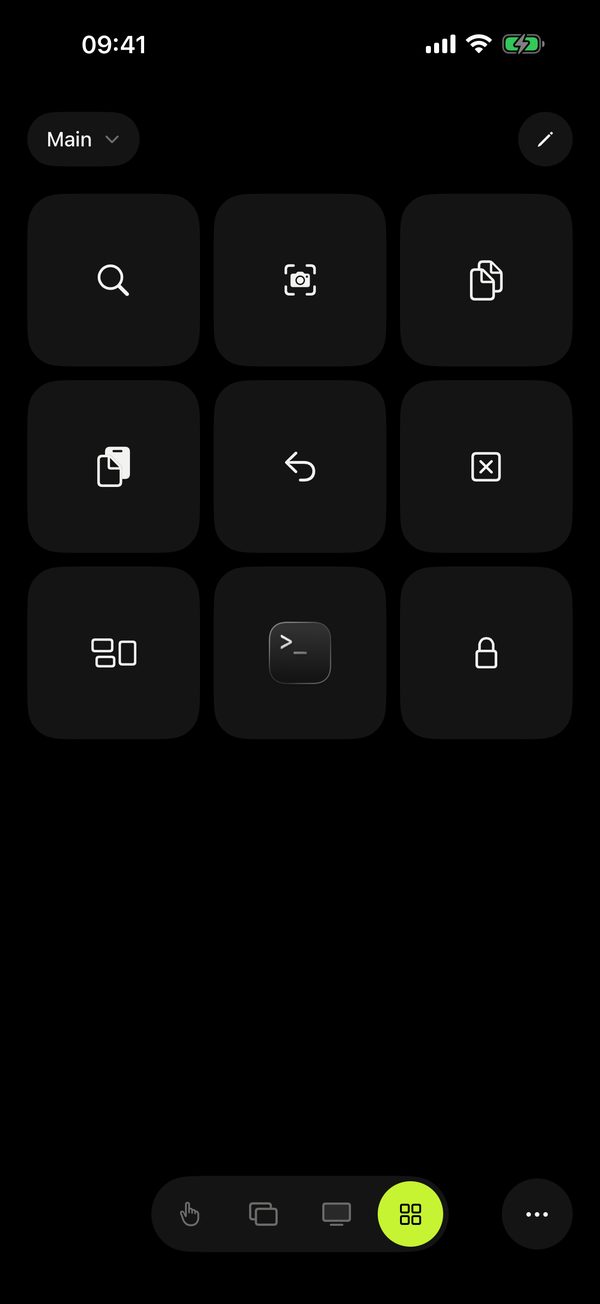
What a button can do
- Shortcut — any combo, like ⌘⇧4.
- App — open it or bring it forward.
- File or link — a project folder, a document, a website.
- Text — a signature, an address, a canned reply.
- Shortcuts, AppleScript, Shell — for people who automate. Scripts run only if you allow them on the Mac: Remolo Helper → Settings → Security → “AppleScript and shell commands from the phone”.
- System and media — lock, sleep, screenshot, volume.
- Chain — several actions in a row, with pauses.
The icon can be a symbol, the app’s icon, an emoji, your photo or an animated GIF. Hold any button to edit or move it. Buttons spread over pages, like the Home Screen.
Profiles that switch by themselves · Pro
Make a profile for each kind of work and tie it to an app from your Mac’s list. Open Figma and the phone shows your Figma buttons. Switch to the browser and the general profile comes back.
Ready-made profiles · Pro
Rather not start from scratch? Take a ready-made set from the gallery: Figma, Keynote, Photoshop, Final Cut Pro, a browser (Chrome), VS Code, Finder and Spotify. One tap and the buttons are in place, and the profile turns on by itself when that app is in front on the Mac. Then make it your own.
When buttons are not enough · Pro
For commands that are not on a button, there is Terminal mode — your zsh in the Mac’s home folder. It stays off until you turn it on in Settings → Advanced and allow shell commands on the Mac.
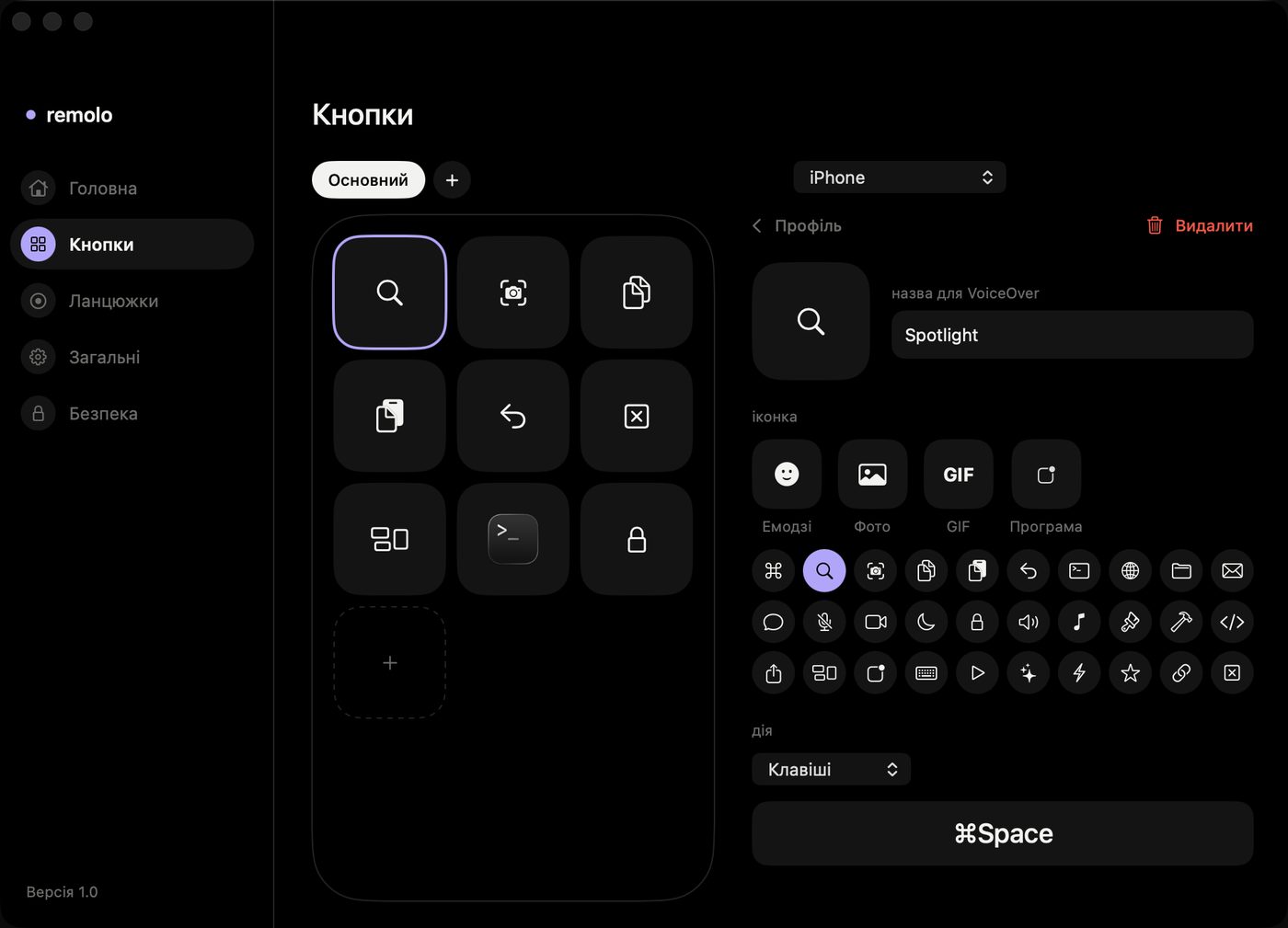
Edit with a mouse on the Mac
The same buttons, in the Remolo Helper settings. On the left, the phone at its real proportions; on the right, the icon and action. Drag a picture or GIF straight onto a button. Changes reach the iPhone almost instantly.
One button, a whole routine
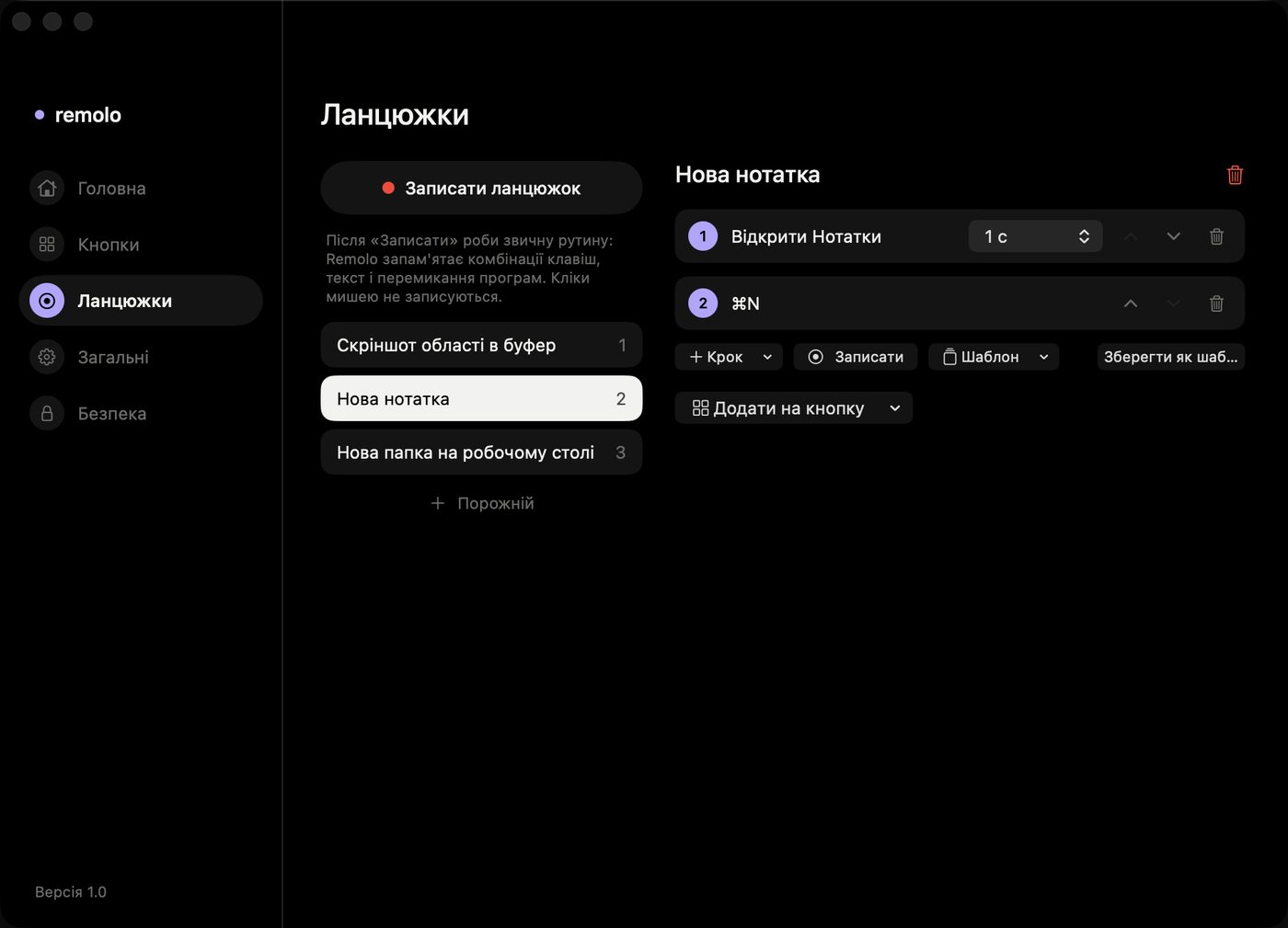
A chain is several actions in a row with pauses: open an app, wait a second, press ⌘N, type a name. Build it step by step on the phone or the Mac — or just record it.
Open Chains on the Mac
Remolo icon in the menu bar → gear → Chains.
Click Record chain
A small panel with a red dot, a timer and a step count appears at the top.
Do the routine as usual
Switch apps, press shortcuts, type. Remolo remembers the order and the pauses. Mouse clicks are not recorded, because their positions change every time.
Click Stop and add it to a button
Rename it, adjust pauses or steps, then choose Add to a button. It shows up on your iPhone right away.
Ideas to start with
Designer
“Export for dev”: ⌘⇧E → Enter → open the export folder. “New page”: Figma → ⌘N → a name.
Developer
“Morning”: Terminal → git pull → open the project in the editor → Slack. A Shell button for frequent commands.
Teacher
“Start class”: open the deck → start the show. “Break”: turn the Mac’s display off.
Video editor
Cut, marker, render — on buttons with GIF icons; the profile turns on by itself when the editing app comes forward.
Free: 1 profile, 6 buttons, a symbol, an app icon or emoji, the editor on the Mac. Pro: unlimited profiles and buttons, chains and recording, scripts and Shortcuts, photos and GIFs, automatic switching, ready-made profiles.