A clicker you use without looking
In Slides mode your iPhone is a clicker for Keynote, PowerPoint, Google Slides and PDFs. Big “next” and “back” areas, a curtain and a stopwatch, and with Pro a time limit with vibration, pocket mode, a laser pointer, spotlight, marker and speaker notes.
Updated
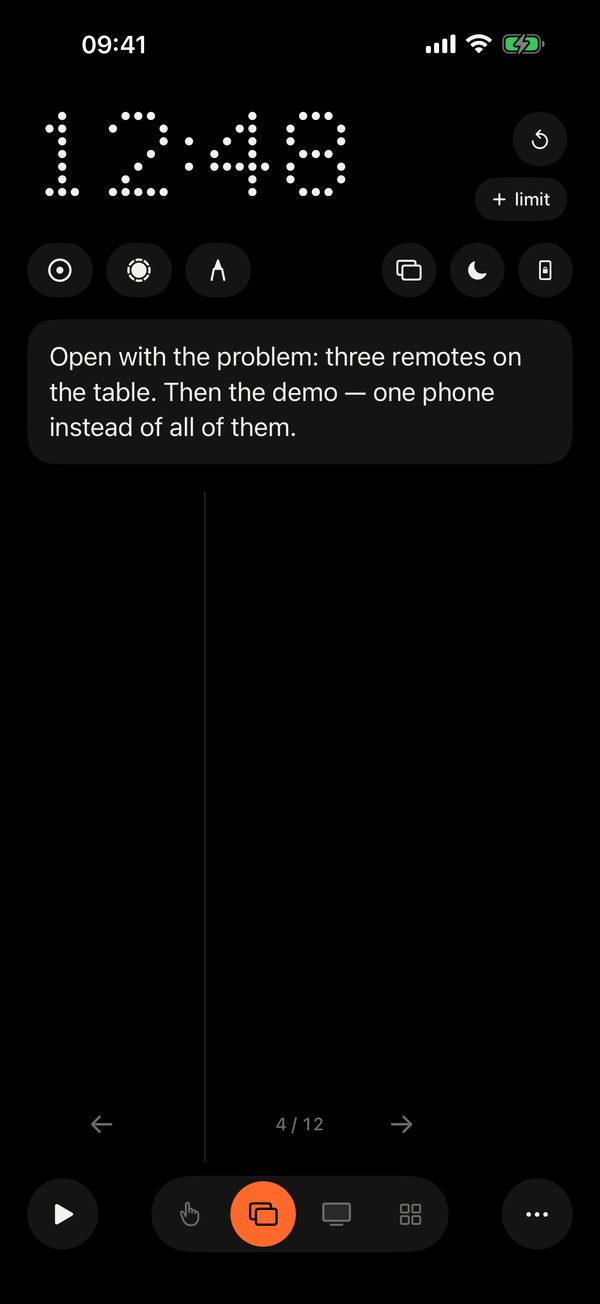
Next on the right, back on the left
Most of the screen is the “next” button. The left third goes back. Swipes work too. Hold for a full-screen curtain on the Mac, so the room looks at you: black, or, with Pro, your own picture or video, chosen on the Mac (Remolo Helper → Settings → General → Curtain). The timer and clicking are on Apple Watch too (Pro).
Timer
By default it is a stopwatch from 0:00. With Pro, set a limit, say 20 minutes, and it counts down and buzzes quietly two minutes before the end. Pick the limit with a wheel, like in the iPhone Clock app, even mid-talk.
Pocket mode · Pro
Phone in your pocket, the volume buttons change slides. The screen ignores accidental touches.
Laser, spotlight and marker
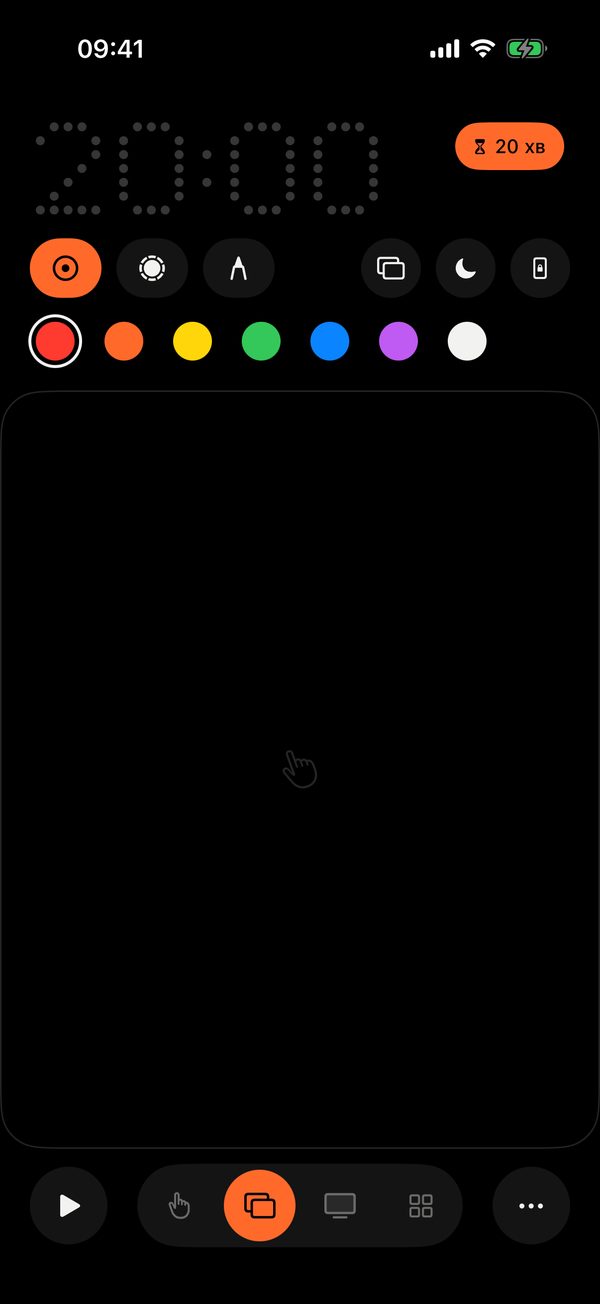
Laser — keep a finger on the screen and point the phone like a real pointer: a dot with a soft trail moves across the slide. Spotlight dims everything but a circle around the dot. Marker — draw with your finger right over the slides; the line fades after three seconds.
Seven colours for the laser and marker. With several displays you choose which one to use.
Speaker notes
The current slide’s notes and its number, on your phone, while you look at the room. Works with Keynote and PowerPoint only.

Questions
Which apps are supported?
Keynote, PowerPoint, Google Slides in a browser, Preview and any PDF — anything that moves with the arrow keys. The start button knows how to begin the show in each of them.
Why notes only from Keynote and PowerPoint?
These two apps let other apps read the notes of the current slide. Google Slides does not, so with them you get the timer, clicking, laser and marker.
How does pocket mode work?
It is a Pro feature. The phone-with-lock icon: the screen dims, touches are ignored, and the volume buttons change slides. To leave, hold the lock button for a second.
Can I change slides without unlocking the phone?
Yes, with Pro: while the timer runs, the Lock Screen and the Dynamic Island show the time, the slide number and ← →. There is also pocket mode, Apple Watch and Siri phrases in English, like “Next slide in Remolo”.
Is the laser shown on the second screen?
Yes. With several displays connected, a screen picker appears in the mode, and Remolo remembers your choice.