How to control a Mac mini from your iPhone, at home and remotely
In short: install the free Remolo Helper on the Mac mini and Remolo on your iPhone. The phone becomes the trackpad and keyboard the Mac mini lacks — free at home. With Remolo Pro the same Mac mini answers from any network: trackpad, buttons, files and the Mac’s screen on your phone, end-to-end encrypted.
Updated
What you need
- A Mac mini on macOS 15 or later, Apple silicon or Intel.
- An iPhone or iPad on iOS 18 or later.
- Once: any mouse or keyboard, to give the Helper Accessibility in System Settings.
- For control away from home: Remolo Pro.
Step by step
Install Remolo Helper
Get it on the Helper for Mac page, drag it into Applications and open it. A Remolo icon appears next to the clock in the menu bar.
Allow Accessibility
System Settings → Privacy & Security → Accessibility → turn on Remolo Helper. This is the only step that needs a mouse or keyboard: without it macOS lets no remote move the cursor.
Pair your iPhone
Open Remolo on your iPhone, pick your Mac mini and enter the six digits from its screen, or scan the QR code. You only do this once.
Turn on access from anywhere (Pro)
In the Remolo Helper menu click 🌐, or open Settings → Security → “Control this Mac from anywhere”. Turn on “Mac always ready to connect” there too: the Mac mini won’t go to sleep by itself and opens Remolo at login.
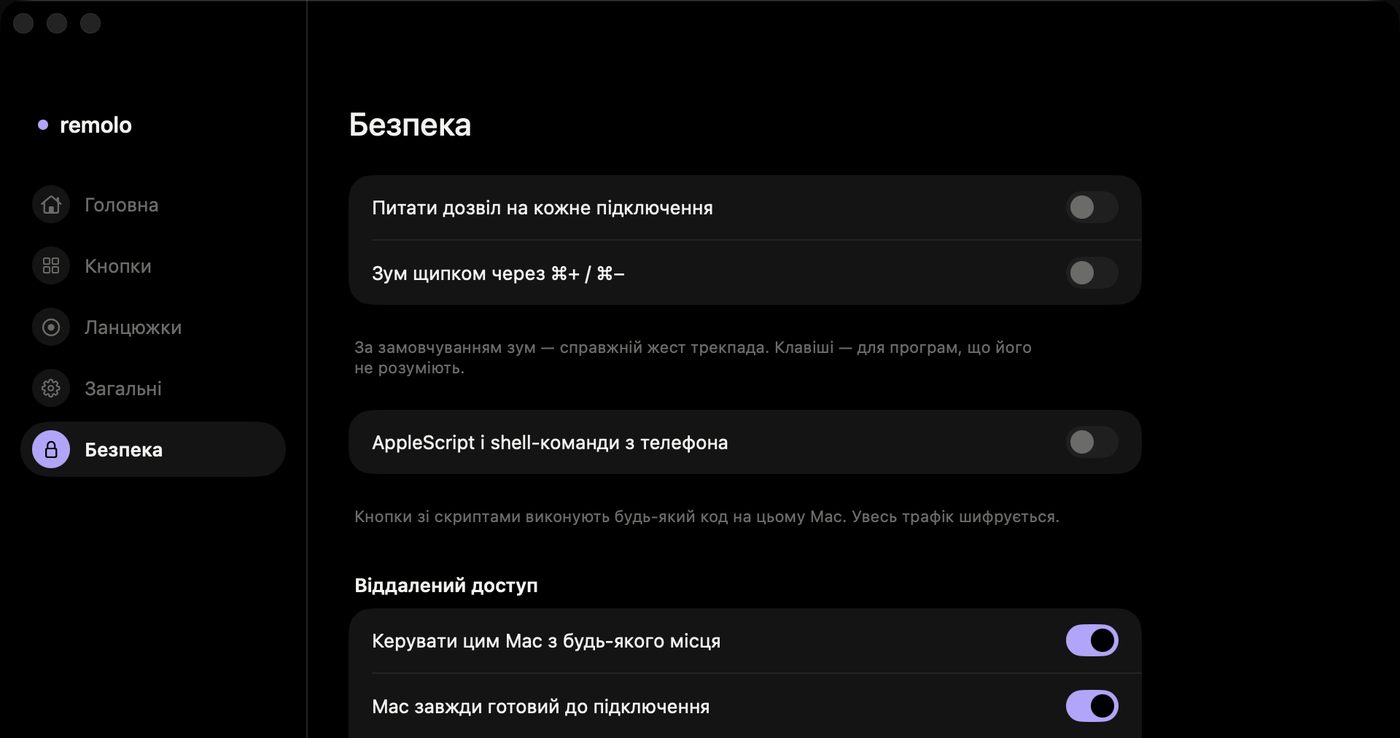
What you can do with the Mac mini from afar
- Cursor, click, scrolling and a keyboard in any language — just as at home.
- The Mac’s screen right above the trackpad, with a magnifier up to 5× near the cursor and a display switcher (Pro).
- Files from the Desktop, Documents and Downloads straight to your iPhone, and photos and files from the phone into the Mac’s Downloads (Pro).
- One-tap buttons: an app, a website, a shortcut, a chain of actions or a script.
- The “Mac status” widget shows whether the Mac mini is online before you even open the app (Pro).
How it is protected
Only devices paired with a code or a one-time link can connect. Over the internet the phone and the Mac meet through the Remolo relay, which sees only ciphertext and stores nothing, or directly when the router allows. No ports to open by hand. Pause in the menu bar turns control off with one click. More on the Security page.
Honest limits
- Over the internet the Mac’s screen is smaller with fewer frames — it is for control and checking, not for full remote-desktop work.
- The Mac mini has to be on and online: Remolo does not switch on a Mac that is off.
- At home the basics are free; control from any network is part of Remolo Pro.
Questions
Does it work with a Mac Studio, iMac or MacBook?
Yes, with any Mac on macOS 15 or later. A MacBook sleeps when the lid closes or the battery runs out, and stays offline until it wakes.
Do I need to set up the router or open ports?
No. When there is no direct path, Remolo connects through its relay with end-to-end encryption.
Can I add the Mac mini when I am already away?
Yes: on the Mac, in the Remolo Helper menu click “+” → “iPhone not nearby” (or ask someone who is there) and open the one-time link on your iPhone. Staying in control from afar needs Remolo Pro.
More guides
- How to check from your phone whether Claude Code has finished
- How to use your iPhone as a trackpad for your Mac
- How to advance Keynote and PowerPoint slides from your iPhone
- How to get a file from your Mac when you are not at home
- How to turn your iPhone into a Stream Deck-style button panel for your Mac
- How to control a Mac from your iPad
- How to control films and music on your Mac from the sofa
- How to advance slides from your Apple Watch
- How to lock or sleep your Mac from your iPhone
- How to type and dictate text on your Mac from your iPhone
- How to give someone temporary access to your Mac